FAQ

When are my prescriptions sent to my pharmacy?

Usually, your prescription is sent to the pharmacy by the end of your session or the end of the day.  Please wait for your pharmacy to contact you and let you know when your script is ready for pickup.

Related Existing Clients FAQs

How do I access all my records?

To request a copy of your mental health records, please complete this Records Request form.

When are my prescriptions sent to my pharmacy?

Usually, your prescription is sent to the pharmacy by the end of your session or the end of the day.  Please wait for your pharmacy to contact you and let you know when your script is ready for pickup.

How do I request another session with my current counselor?

Existing clients have access to the Client Portal to request new sessions!
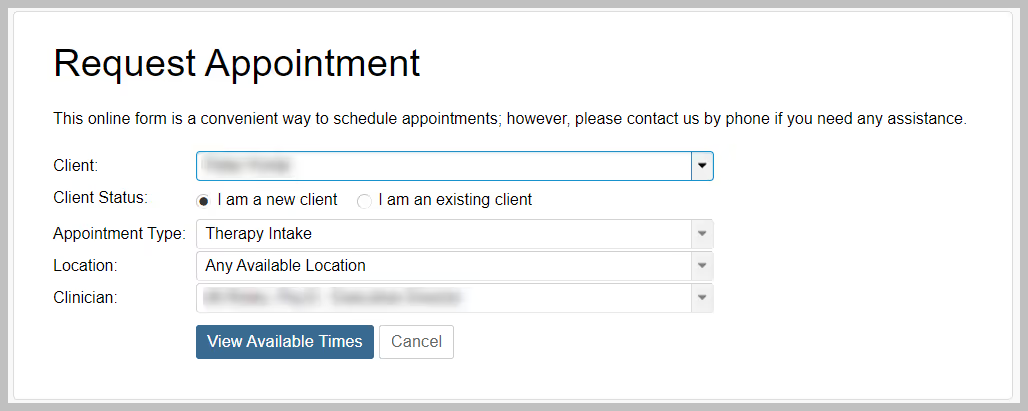
  1. Log into the Client Portal.
  2. Click on Appointments in the menu.
  3. Click Request Appointment.
  4. Select the Appointment Type (Therapy or a Medication Management).
  5. Select the location from the location dropdown.
  6. Click the View Available Times button.
  1. Select your preferred appointment time.
  2. Review your appointment request details and click the Submit Request button

Want a text message with link to the Client Portal?

In the Client Portal you can:

  • Manage (create, cancel, reschedule) your appointments
  • Join your telehealth sessions
  • Pay for your session fees
  • Change/update your insurance
  • View your treatment plan
  • Message your counselor/NP
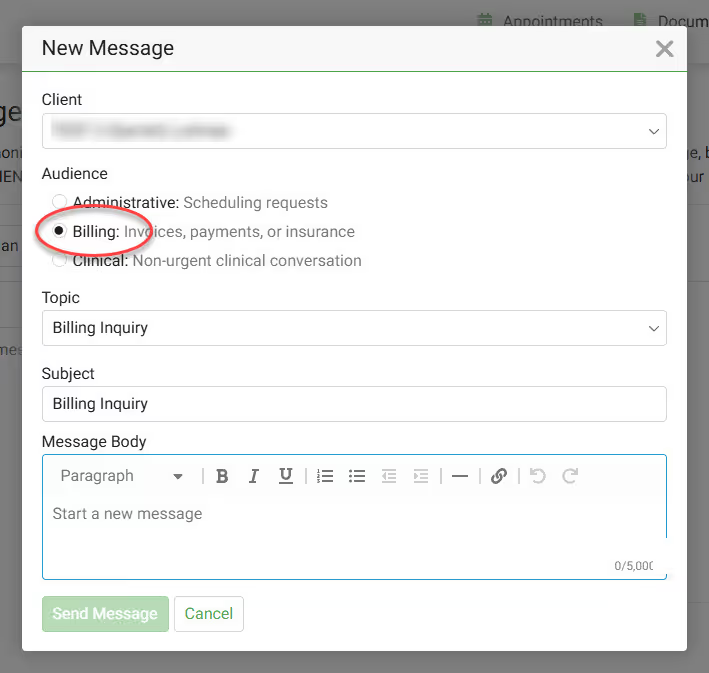
  • Message the Support Team (Admin, Scheduling or Billing)
  • And more!

Can I message or speak to my counselor directly?

Yes, you can! In the Client Portal, you can send a message directly to your provider. Send them messages about:

  1. Details about your week
  2. Let them know you are running late to your appointment,
  3. Can't join your teletherapy session
  4. There are issues in the waiting room of your teletherapy session.
  5. Counselor or NP are not visible in the Client Portal teletherapy session.

If you are unable to access the Client Portal, you can also send a message directly to your provider here.

Quick Message

How do I add a new credit/debit card to the client portal?

Adding your credit card to the client portal simplifies your healthcare journey by ensuring your copays and payments are handled swiftly and securely. This not only offers convenience but also aids in uninterrupted access to essential services, making your commitment to mental health care seamless and worry-free.

  1. Log into the Client Portal.
  2. Click on Documents in the menu.
  3. Click on the Payment Authorization Form. Complete the required fields in the payment authorization form to add your credit card to the client portal.
Payment Authorization Form