
A copay, or copayment, is a fixed amount that you, as the client, are required to pay for each counseling when we bill your insurance. The exact amount varies based on your specific health insurance plan.
A counseling session will usually have the same copay as a PCP (Primary Care Physician) visit and/or an Office Visit. If you have a copay plan, you'll sometimes see your copay listed on your insurance card.

Yes! Family therapy is covered through Medicaid.
Yes. Medicaid ensures access to a variety of mental health services provided in a safe and respectful environment. By utilizing the Medicaid provider directory, individuals can find licensed professional counselors and therapists who offer a safe space tailored to their specific needs. For the most current information on Medicaid coverage for mental health services, including a comprehensive list of covered therapies and how to access them, please visit Colorado's Medicaid website.
Clients can pay for their sessions via credit card, debit card, or HSA/FSA cards in the Client Portal.
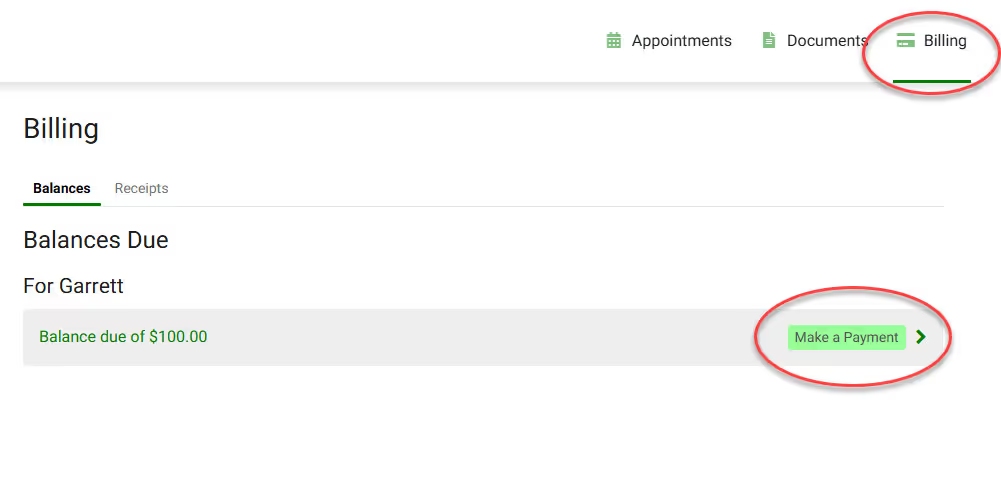
You may also put a CC on file for automatic payment at the time of your session! Complete the Payment Authorization form to store a card on file!

Yes, Medicaid supports a client-centered approach to therapy, emphasizing the unique needs and values of the individual. This approach fosters a safe space where clients are actively involved in their healing process.
Solution-focused therapy, a goal-oriented approach that emphasizes solutions rather than problems, is covered by Medicaid. This type of therapy is beneficial for individuals looking for short-term, objective-focused treatment options.
