FAQ

How to make a prescription refill request?

Need an Rx Refill?  Log into the Client Portal to notify your nurse practicioner that you need a refill.  
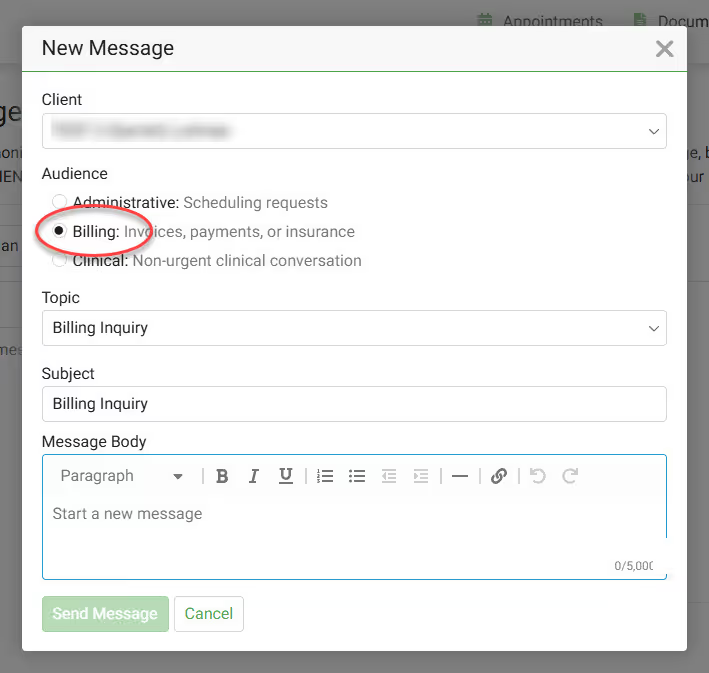
  1. Click on Messages in main menu.
  2. Click on New message.
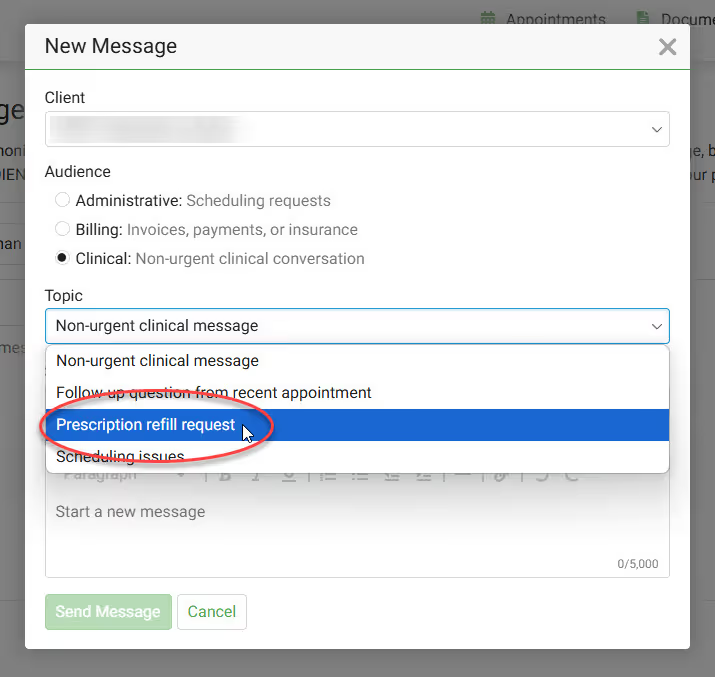
  3. Click Clinical as the audience type.
  4. Select Prescription Refill Request from the Topic dropdown

Refills of controlled substances will most often require a session with your provider.  You can continue to complete the request; however, after completing the request, you can proactively take the next step and book a follow-up session with your provider.  

Common controlled substances:

  • Adderall
  • Vyvanse
  • Methylphenidate
  • Lisdexamfetamine
  • Xanax
  • Klonopin
  • Alprazolam
  • Clonazepam
  • Ambien
  • Zolpidem

Related Existing Clients FAQs

How do I reset my password on the Client Portal?

To reset your Client Portal password, follow these steps:

  1. Visit the Client Portal.
  2. Click Forgot Password.
  3. Enter your email address and date of birth, then click Continue.
  4. You will be sent an email to validate your account.
  5. Click the link in the email and follow the prompts to create your new password.
  6. After all of the steps are completed, you will be able to log in to your account using your new password.

When are my prescriptions sent to my pharmacy?

Usually, your prescription is sent to the pharmacy by the end of your session or the end of the day.  Please wait for your pharmacy to contact you and let you know when your script is ready for pickup.

My Client Portal link expired, how do I request another one?

If the 'Welcome to the Portal' link has expired (it expires in 7 days), our support team or your provider can resend you a new link.  Contacting our Support Team using any of the following methods:

  • Email - support@overcomewithus.com
  • Call - (719) 345-2424
  • SMS - (719) 888-5022

How do I request another session with my current counselor?

Existing clients have access to the Client Portal to request new sessions!
  1. Log into the Client Portal.
  2. Click on Appointments in the menu.
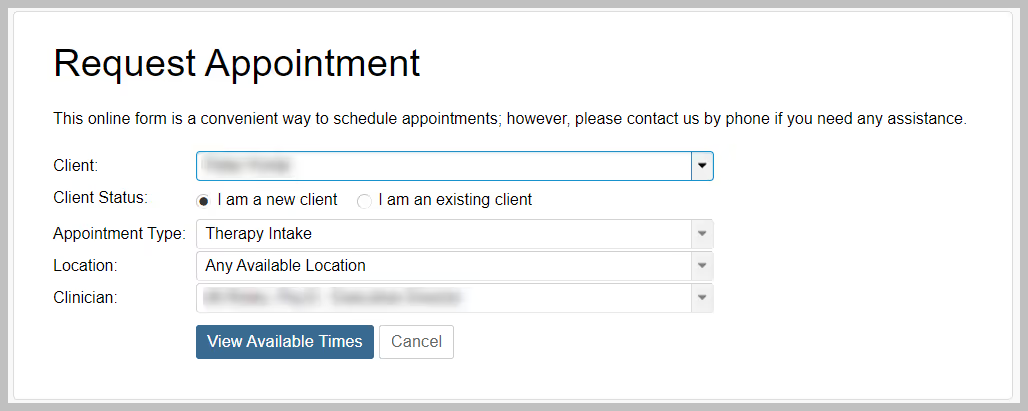
  3. Click Request Appointment.
  4. Select the Appointment Type (Therapy or a Medication Management).
  5. Select the location from the location dropdown.
  6. Click the View Available Times button.
  1. Select your preferred appointment time.
  2. Review your appointment request details and click the Submit Request button

Want a text message with link to the Client Portal?

In the Client Portal you can:

  • Manage (create, cancel, reschedule) your appointments
  • Join your telehealth sessions
  • Pay for your session fees
  • Change/update your insurance
  • View your treatment plan
  • Message your counselor/NP
  • Message the Support Team (Admin, Scheduling or Billing)
  • And more!

How do I send my medical records to my provider?

If you have records (i.e. Medical Records) that you want to send to your provider at Overcomers, you can email them at support@overcomewithus.com.  You may also visit the Client Portal, click the Documents tab and then click Upload Document.