Transfer a Client
Suppose a clinician needs to transfer an existing client—whether due to scheduling conflicts, the client’s desire to explore a different therapeutic approach, or other reasons—please follow these steps. The current clinician must strive to facilitate a warm and supportive transfer. Our goal is to ensure clients feel cared for and not abandoned, even if this requires continuing sessions for a few additional appointments during the transition.
NOTE: Transferring a client occurs when the assigned clinician will no longer be providing services to them. However, if the client wishes to add additional services—for example, continuing individual counseling and wants to start Psychiatry (med. mgmt..)—please refer to the Refer a Client document for guidance.
Before Completing the Transfer Form
If you don't have a specific date/time/location established for this transfer, your first step in helping your client with a transfer is to use the Directory to find another provider that matches the client's needs. It's best to complete this process with the client during a session, allowing you to initiate the transfer process immediately. If you have already coordinated a time with another clinician, you can proceed to filling out the Transfer form below.
Follow these steps to book the client:
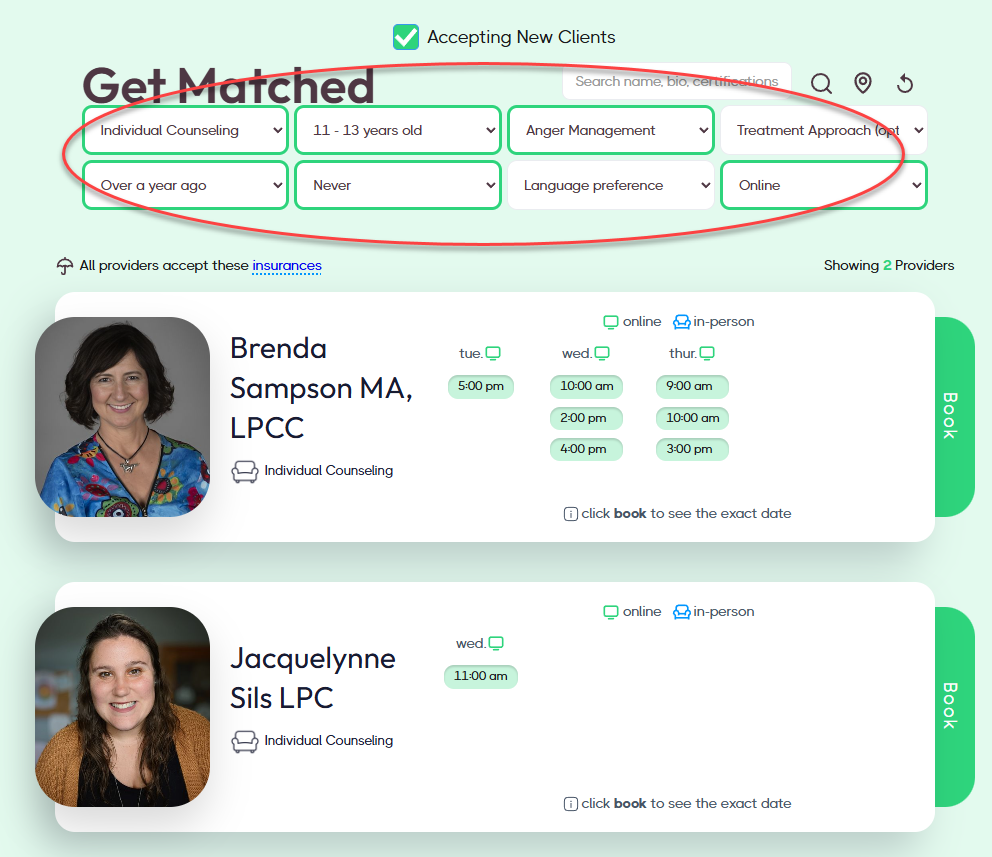
- Use the Get Matched filters to find a match.
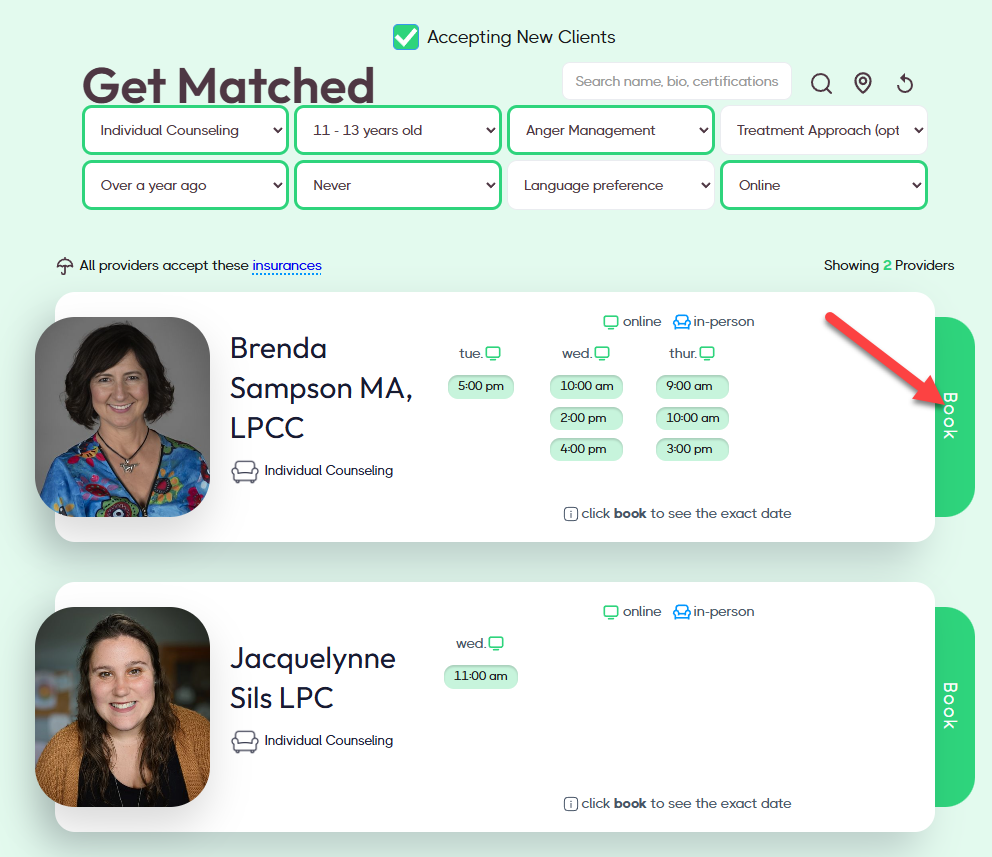
- Review the available openings and click Book.
- Complete the 1st page of the Intake Booking & Packet form. All the client details are in TN (or you could just ask them).
- On the last question on the first page, select "Yes, I'm activily seeing another provider." Then select, "I want to transfer providers" on the next question.
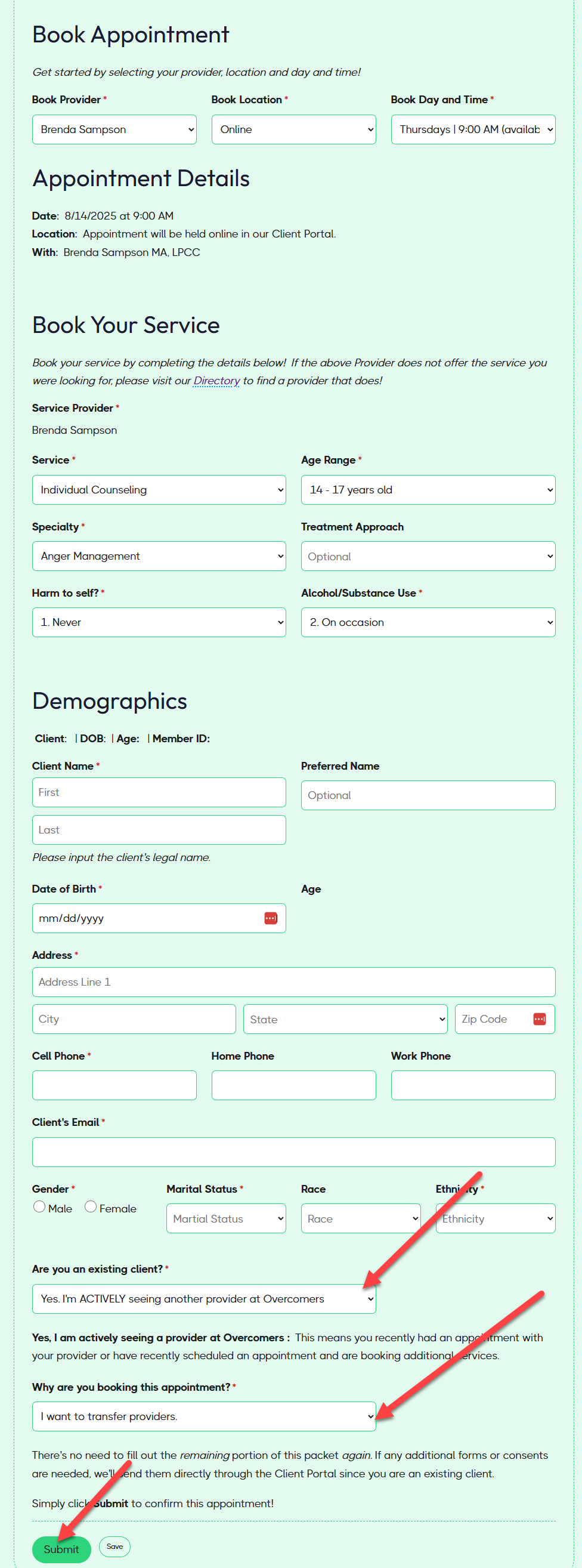
- Click Submit.
The Scheduling Team will be notified, and they will transfer the client to the new provider.
Transfer Form
If no openings were found in the Directory, please fill out the form below to solicit other providers to accept this transfer.
View Transfer List
You cannot 'view' the transfer list as before because the Support Team solely monitors it. However, every Monday, a reminder email will be sent to any matching providers. If you were selected and matched the client's needs, you'll get an email reminder if the transfer client is still on the transfer list. In the email, you can review the client's attributes and book them if you accept.
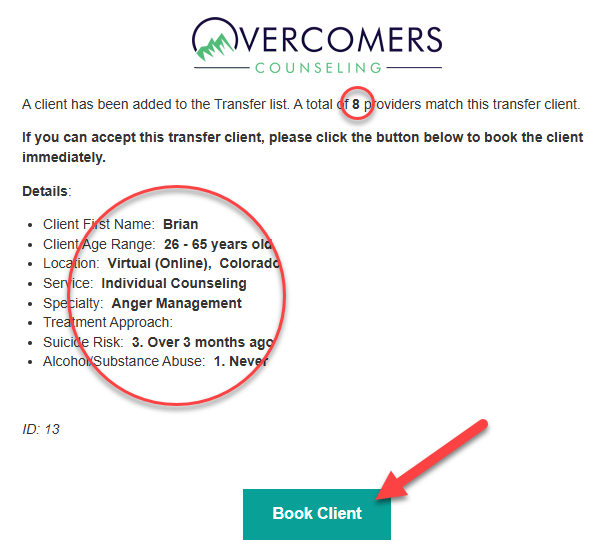
If you book the client, the Support Team will be notified (along with the original clinician) about the booking and the transfer will be initiated.