How to Assign Training/SOP Articles to Staff Members
Applications
Admins, HR & Payroll, Support Team members, and Supervisors can assign trainings and SOP articles to any staff member. This makes sharing resources within the EHR simple while helping everyone stay aligned, informed, and on the same page.
How to Assign an Article from the Help Page
- Go to the Help page.
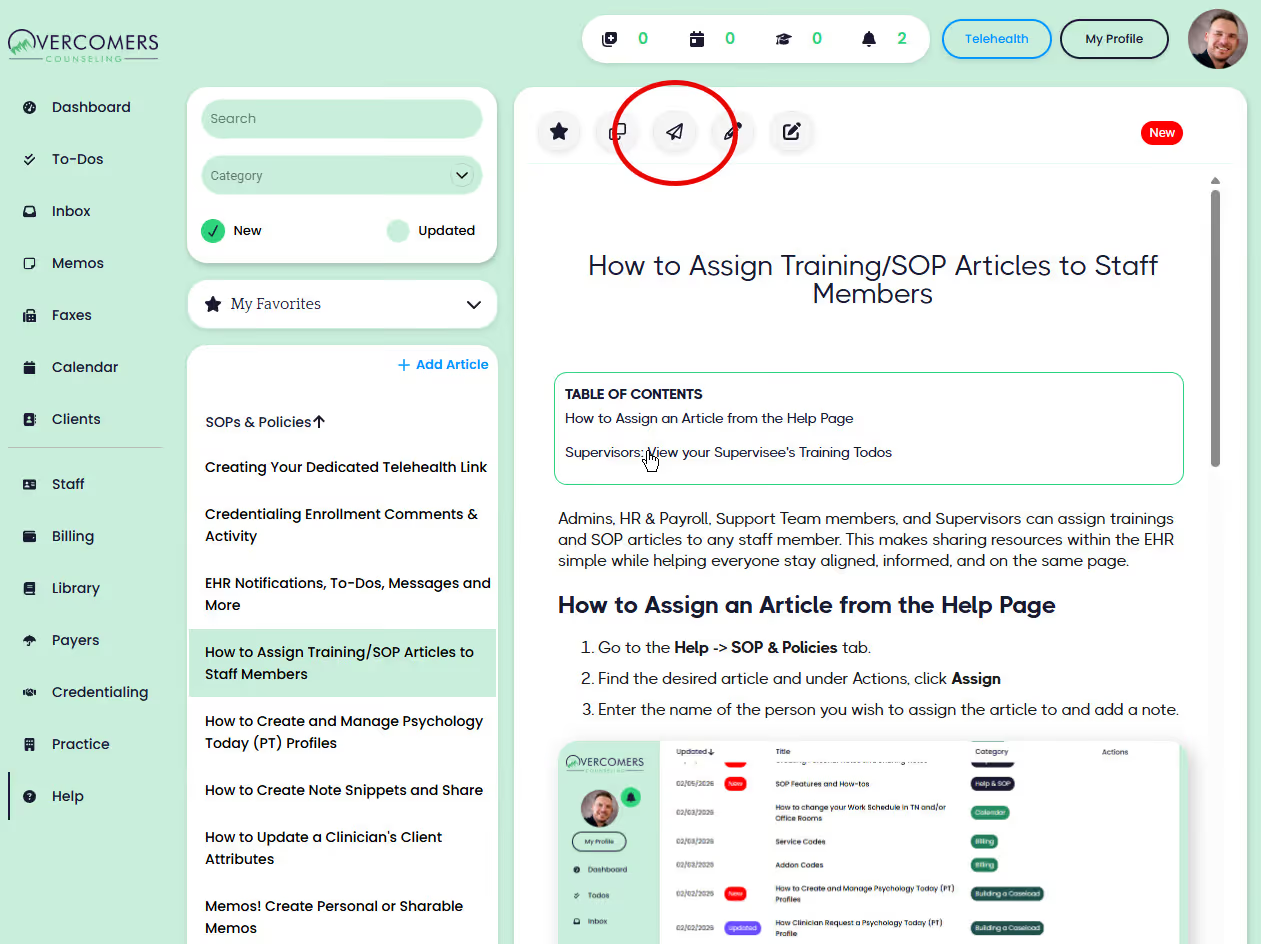
- Find the desired article and click to view it.
- Click the paper airplane icon to assign.
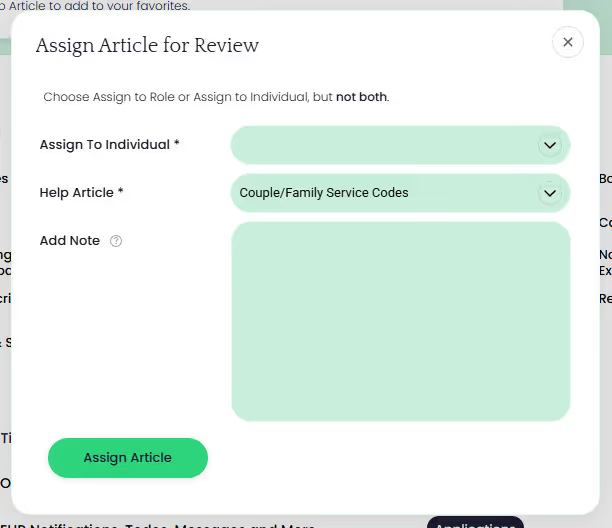
- Enter the name of the person you wish to assign the article to and add a note.
Supervisors: View your Supervisee's Training Todos
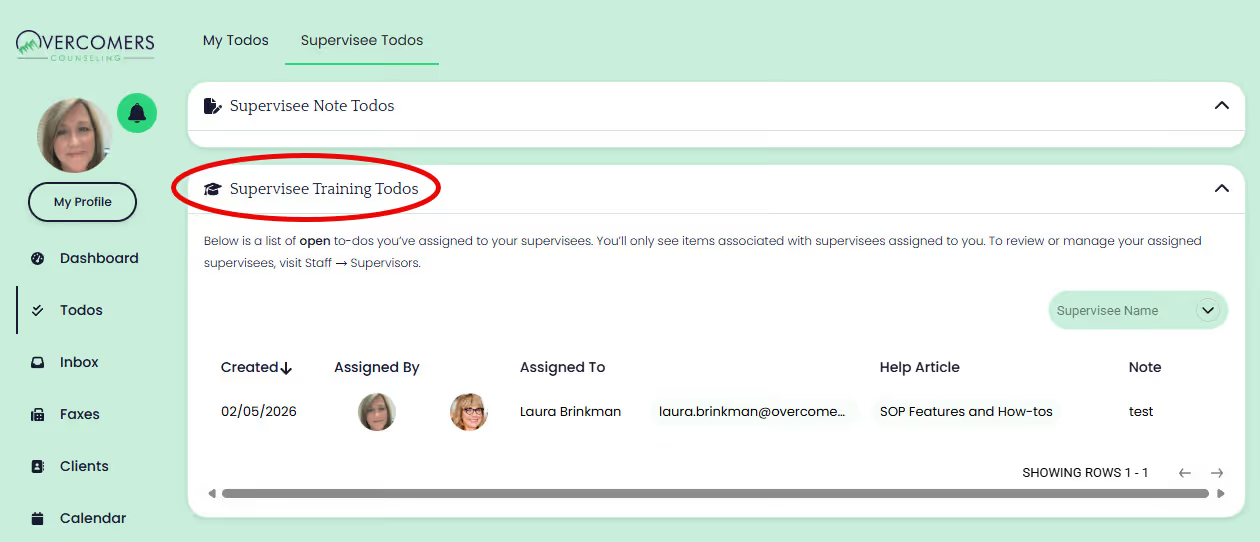
- Go to the Todo -> Supervisee Todos tab.
- Review the articles you've sent to your supervisees. Only the 'open' todos are visible.