Send a Release of Information (ROI) to Client
To send a client an ROI, follow the steps below:
How to send an ROI via TN
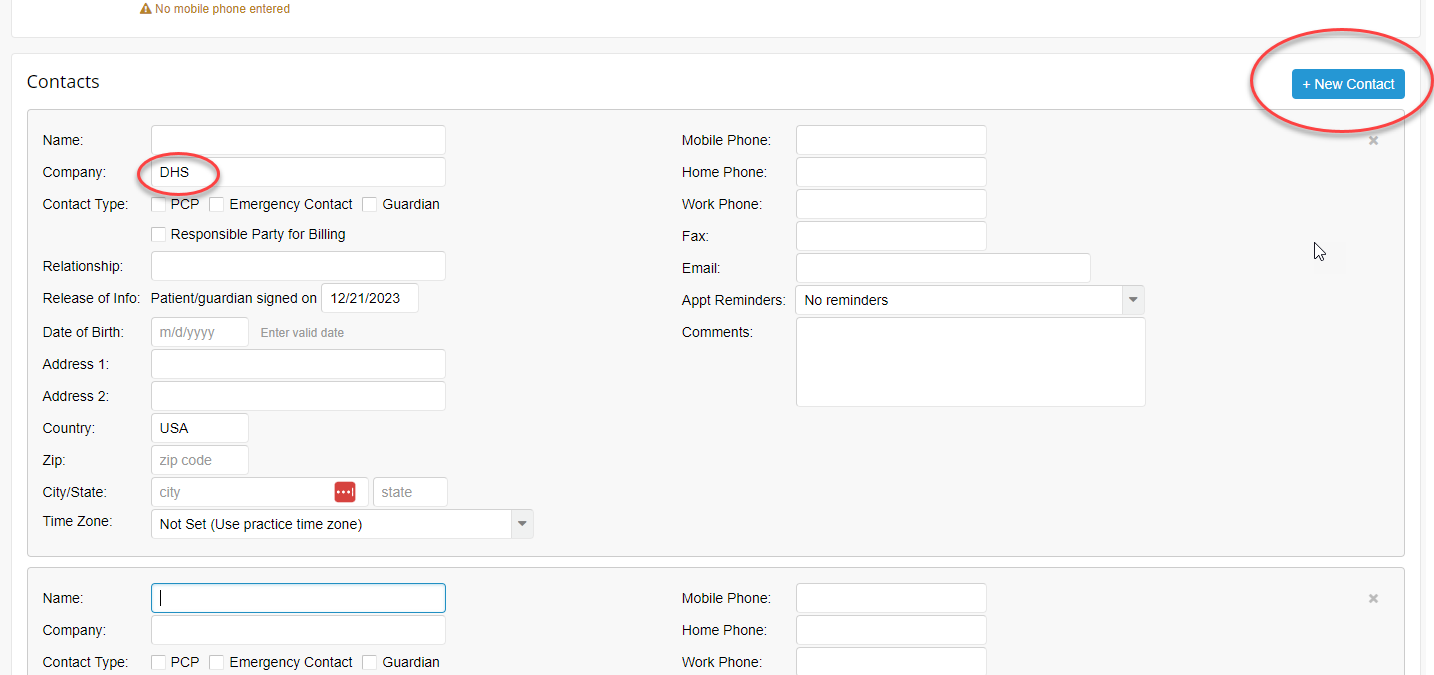
Step 1 - Add a contact to the client’s file in TN
A name or Company Name is the only field required. However, it’s best to fill out as much information as possible.
Step 2 - Send the ROI in the Portal
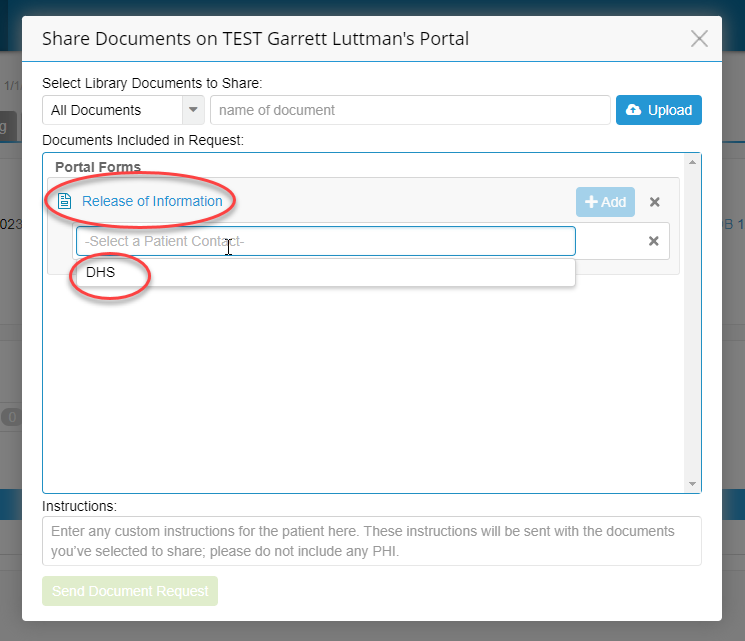
Go to the portal tab of the client’s file and click Share Documents and then search for ‘Release of Information’. The release will then ask you what contact (created in the first step above) is this release for.
Step 3 - The client Signs the ROI in the Portal
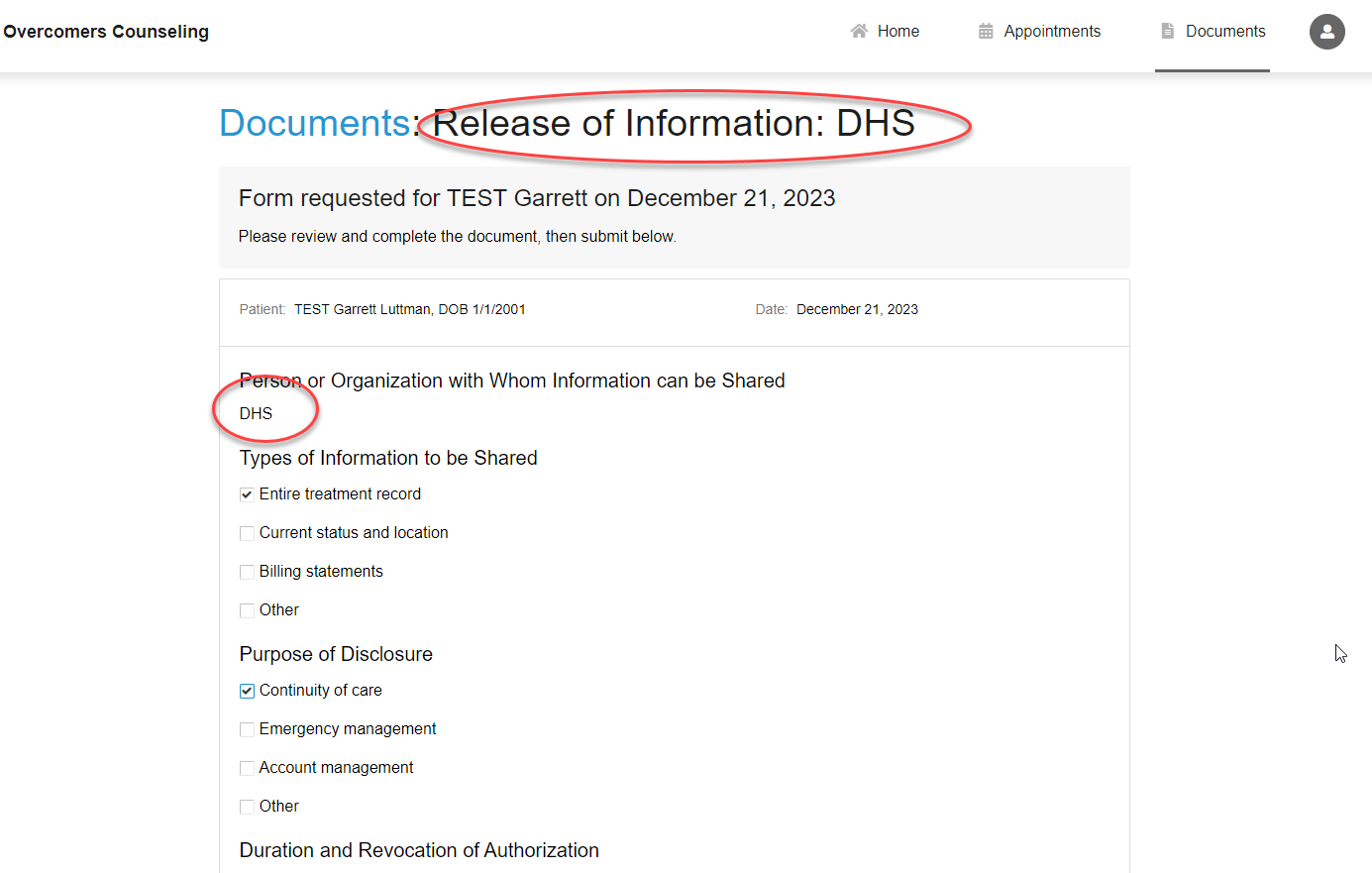
In this example, the client is authorizing us (the clinician/Overcomers Counseling) to release, discuss, or communicate their PHI with the Department of Health Services.
Step 4 - You (the Clinican) sign the ROI
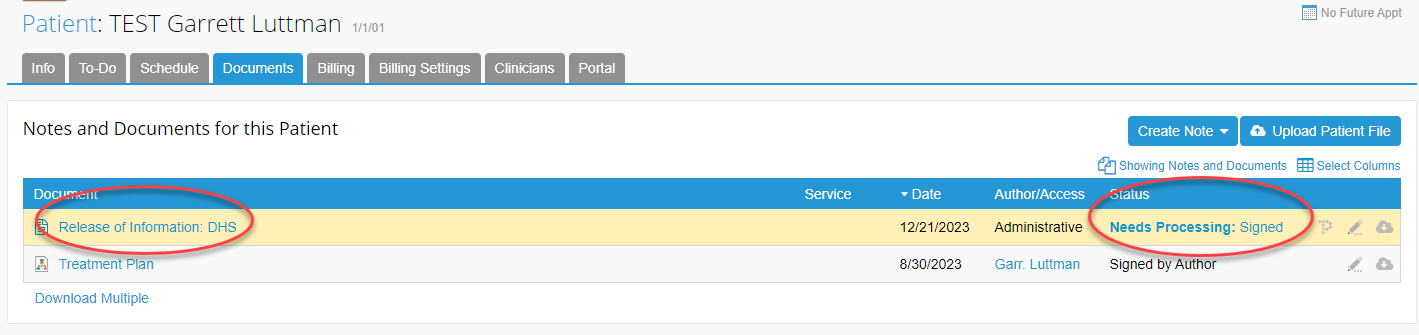
Once the client signs, you must “Process” the ROI.
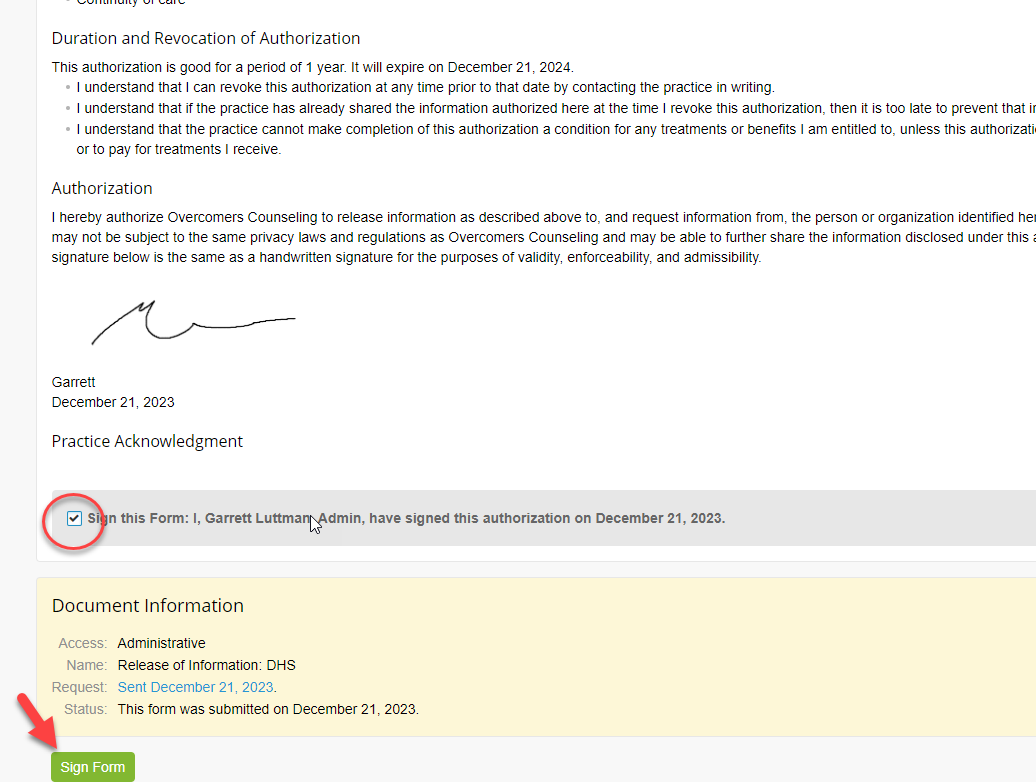
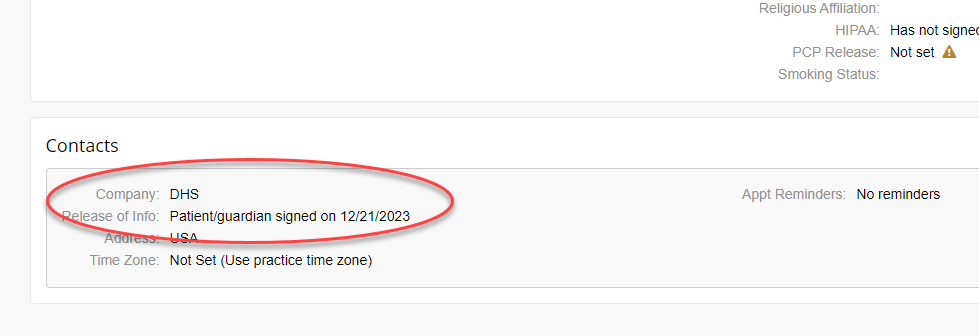
Step 5 - Review the Contact
You’ll now see when the ROI was signed/accepted on the Contact field.
How to send an ROI via Email
If you need to send an ROI outside of the Client Portal, generate an email with a link to our ROI form.
Hi XXXX,
Please complete this form HIPAA Compliant Release of Information (ROI).
Thank you,
Once completed, the submission will go to the Support Team, who will upload it to the appropriate client’s file.