Request New Clients
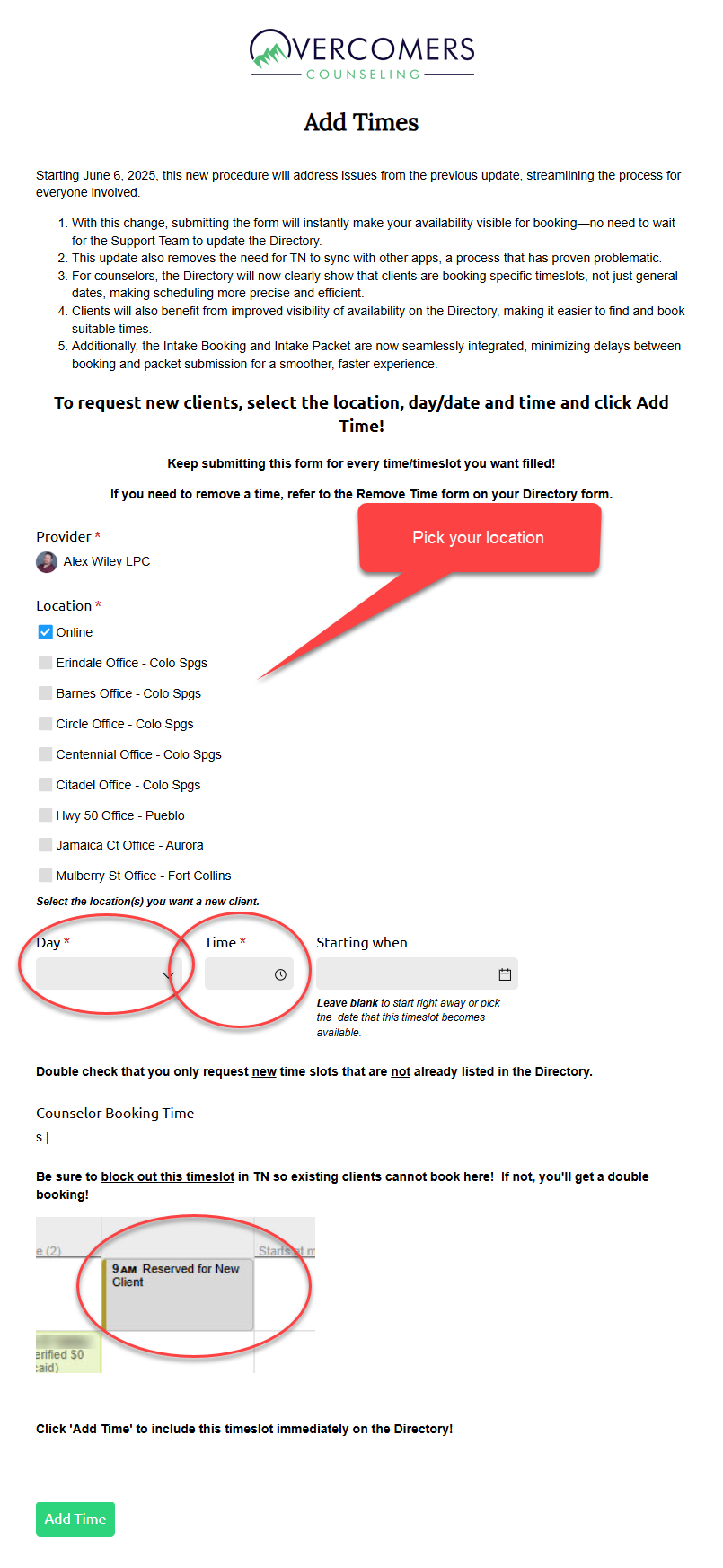
To request new clients, visit our new EHR >> Staff >> Your Name >> Timeslots tab. Just as before you'll see the Add Times form where you can add available timeslots for Intakes.
The "Add Times" Form
Upon submission, your timeslot will immediately be shown on the Directory.
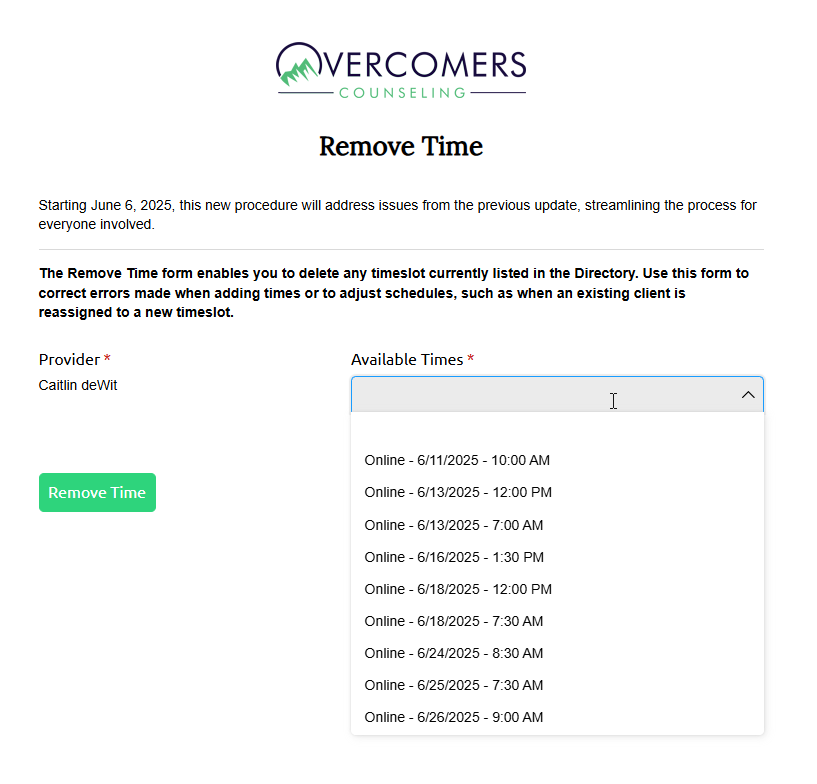
The "Remove Times" Form
The clinician can use the Remove Time form to remove an available timeslot. This form is also located in the EHR >> Staff >> Your Name >> Timeslots tab. Instances where the clinician would use this form:
- The Add Time form was submitted in error
- An existing client has taken a new client's timeslot.
- Any other emergencies or unavailable times that are showing available on the Directory.