Notify Clinician with Sessions Missing a Note
Once a week, a review is required to notify clinicians who have sessions older than 7 days but are missing a note. Notes need to be written according to our Note Writing Timeliness Policy; however, reviewing sessions 7+ days old should provide ample time for clinicians who missed a few days due to personal reasons.
How to Run a Report to Find Missing Notes
- Go to TN >> Billing
- Set the filters to:
- Type = Appointment Requiring a Note
- Start Date = blank
- End Date = 7 days ago from today
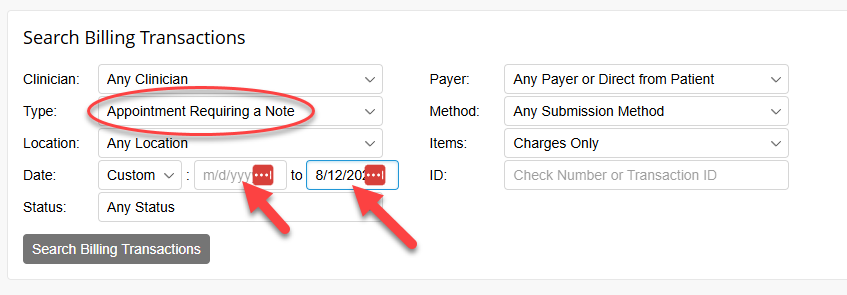
- Click Search Billing Transactions
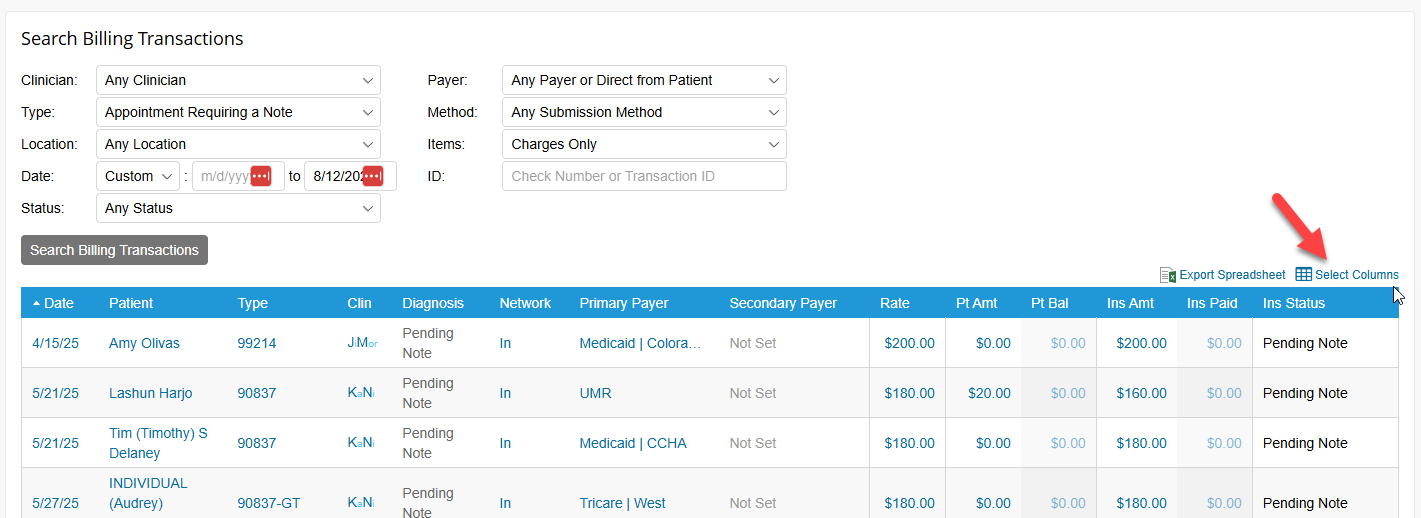
- Sort by Clinician

- Adjust the Columns that are displaying to display the following:
- Date
- Patient
- Clinician Name
- Highlight all the sessions for the 1st clinician and copy (Ctrl + C).
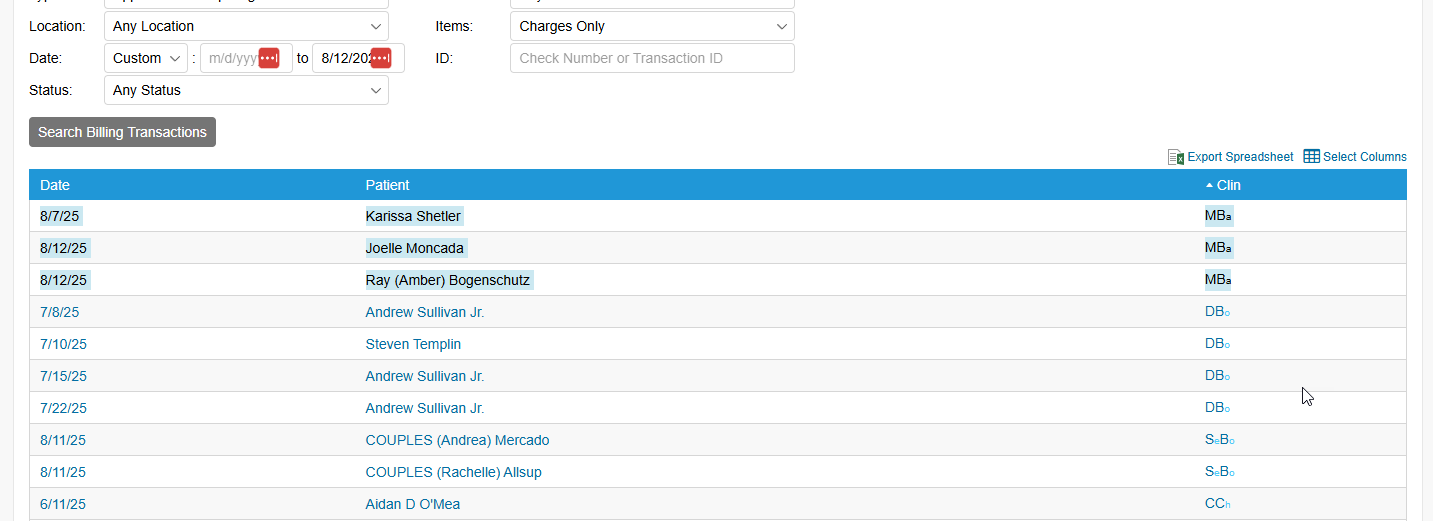
- Paste the copied list into the form below and complete the remaining fields. Here's an example:

- Click Submit. The clinician will receive an email from HR stating they need to complete these notes.
- Repeat the process as needed for each clinician.