Issues and Errors Reporting
Found a bug, error, or workflow hiccup in the EHR? Here’s how to report it and stay in the loop:
View Existing Issues
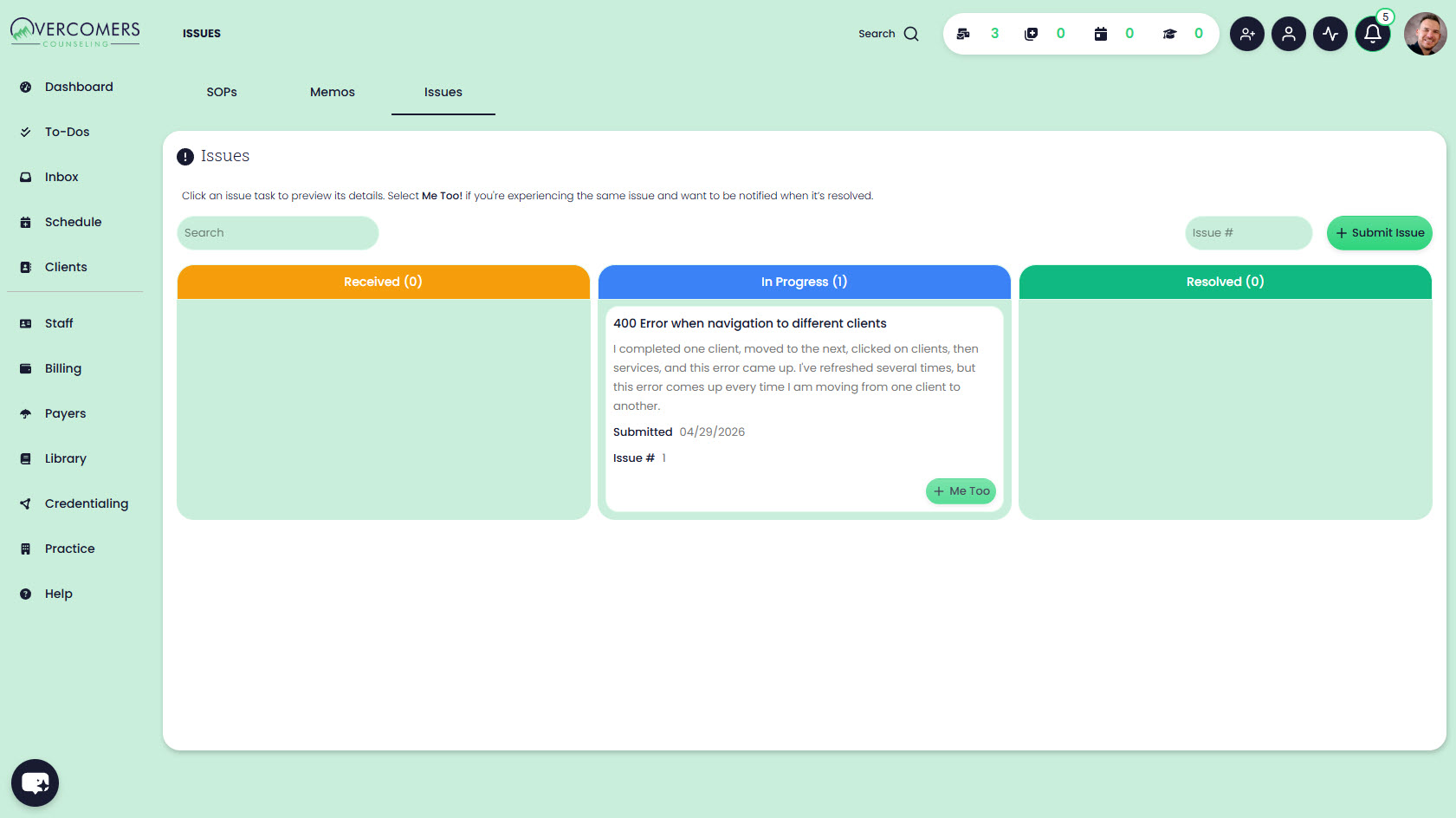
- Go to Help > Issues.
- Browse issues by status: Received, In Progress, and Resolved.
Submit a New Issue
- Click Submit Issue.
- Enter the details and submit.
Follow or Confirm an Issue
- Open an issue from the list.
- Click Me Too if you’re experiencing the same problem.
- You’ll be notified when the issue is resolved.