How to use Heidi Health (AI Scribe)
Heidi Health is an AI scribe tool to help clinicians write notes faster, more efficiently, and with less stress. This is an optional tool, therefore not required to be used by the clinician. Learn more about the case study here: Heidi Health & Overcomers Counseling Case Study.pdf. Learn more about OC’s benefits here: AI Scribe Benefit.
Demo Videos
Joining the Overcomers Team at Heidi Health
You may log in here. Click 'Continue with Google' to log in to your Overcomers' Google Account.
Please note that your account won't be tied to the Overcomers Team account until we 'add you to the team' per the steps below.
- Request that Garrett Luttman invite you to the team.
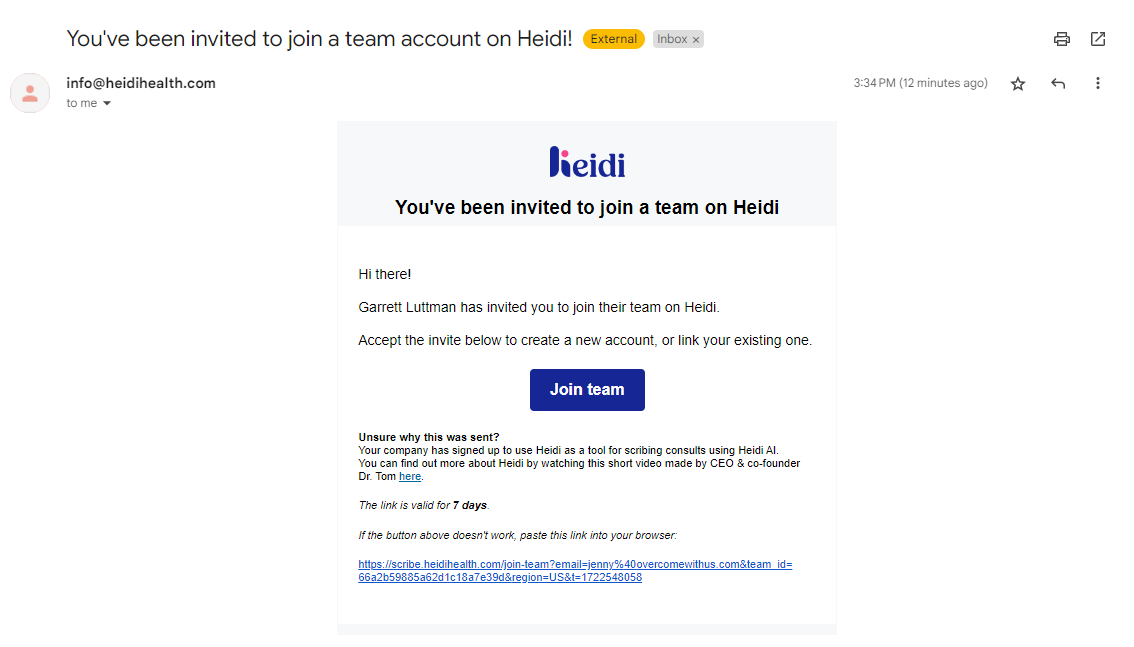
- After you click on Join Team, you’ll be asked to “Create an Account” or “Connect your Existing Account”. Choose the appropriate option. If you are creating a new account, it’s best to create one with your Overcomers’ Google account.
BEFORE Using Heidi Health
Before using Heidi Health, we need the client's consent. Follow one of the scenarios below:
- The Intake Packet includes the Consent to Use AI Scribe During Session. This is an optional form within the Intake Packet for the client to complete. Review the Intake Packet to see if the client consented. Learn more about the Intake Documentation and Consent.
- If you would like to resend the consent, the 'Consent to use AI' is in the TN library and can be sent via the Client Portal.
Using Heidi Health
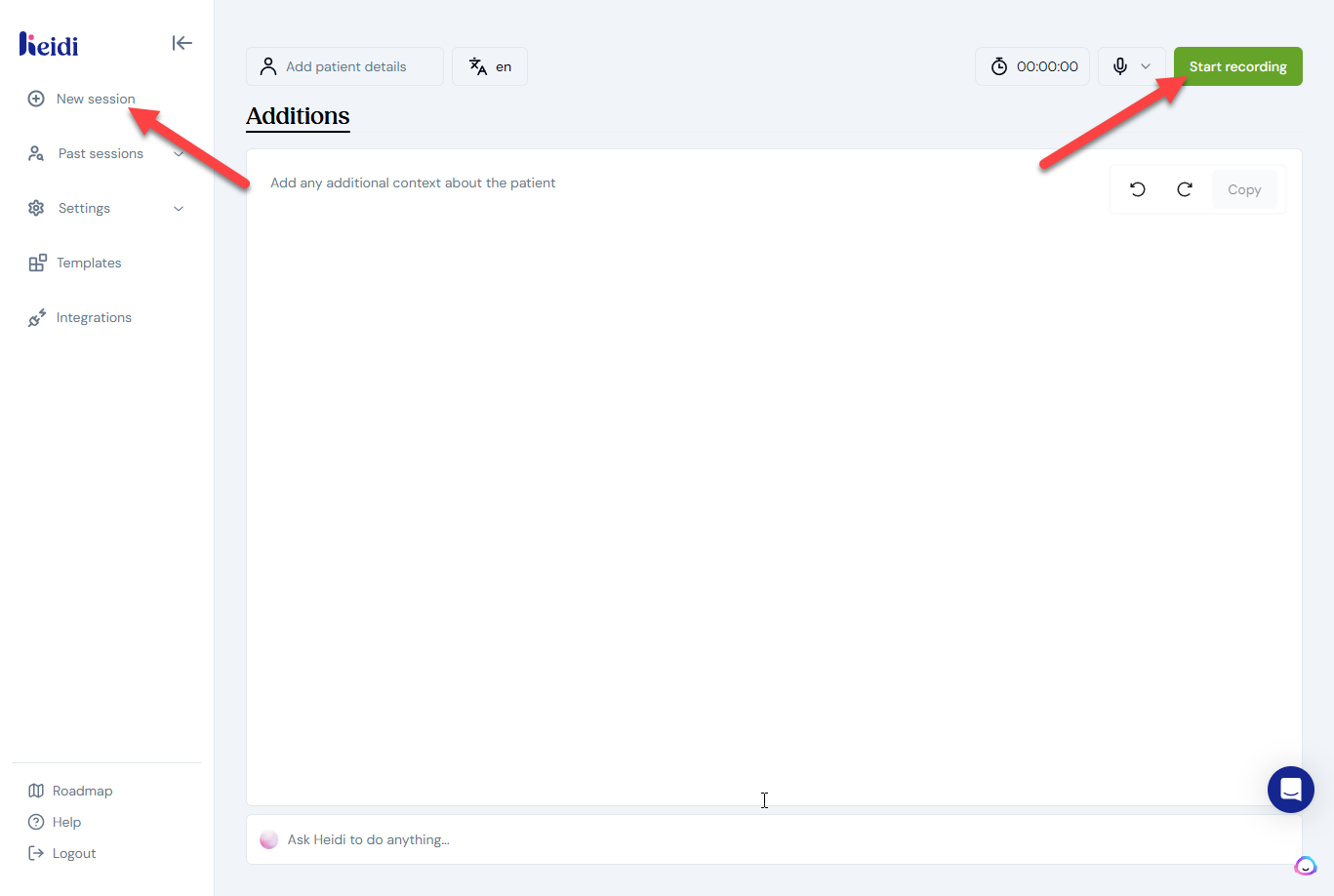
Click New Session or click Start Recording.
Using Heidi Health for Teletherapy
Currently, Heidi does not integrate with any conferencing platforms. Heidi is a stand-alone tool located in your web browser. You can try the following options to record your telehealth sessions:
- Option 1: Open Heidi in another browser on your computer to transcribe your TH session.
- Option 2: Open Heidi on your PHONE browser and record while your TH sessions is being conducted on your computer.
Currently, Heidi doesn't support headphones/earphones for telehealth consults.
After the Recording…
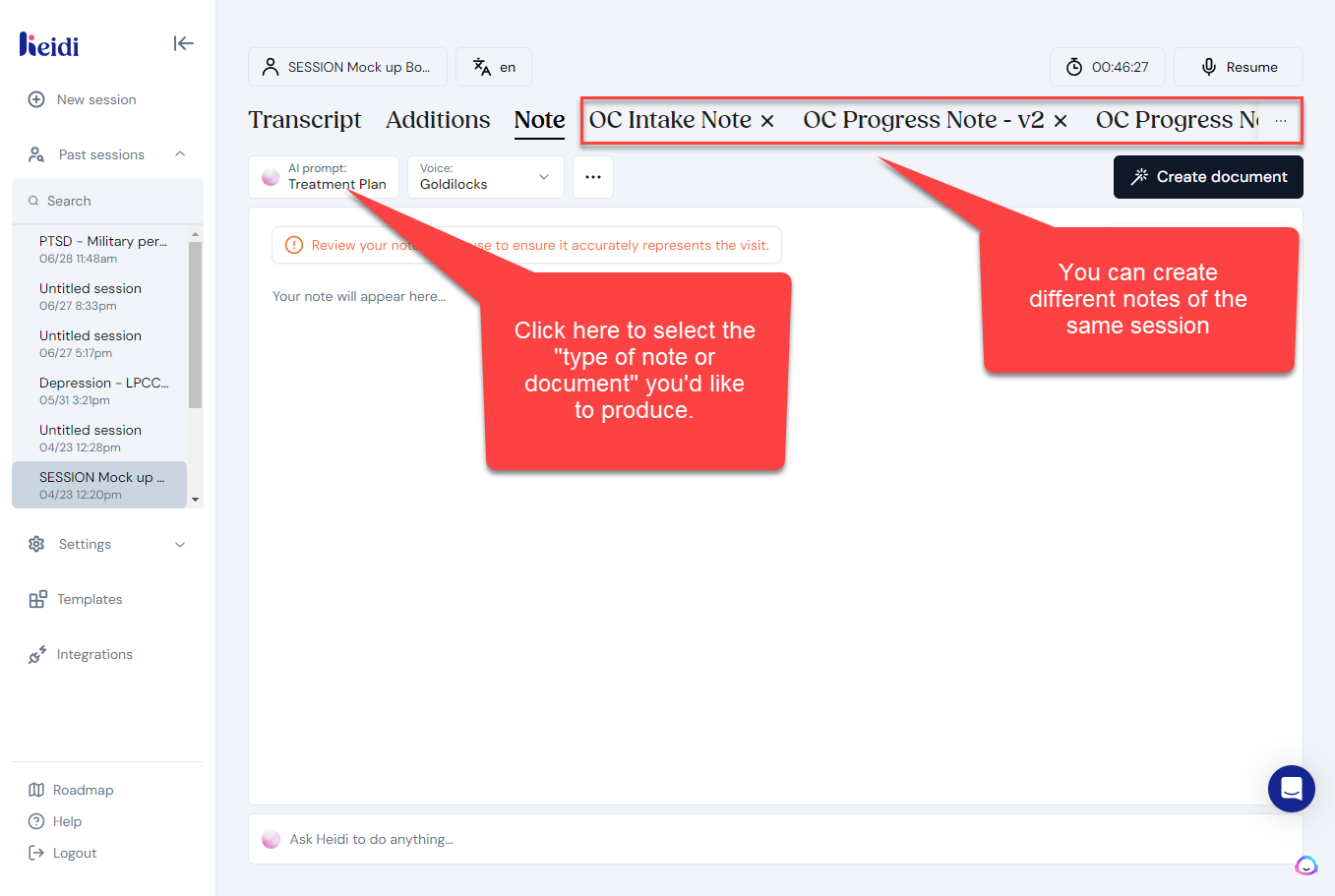
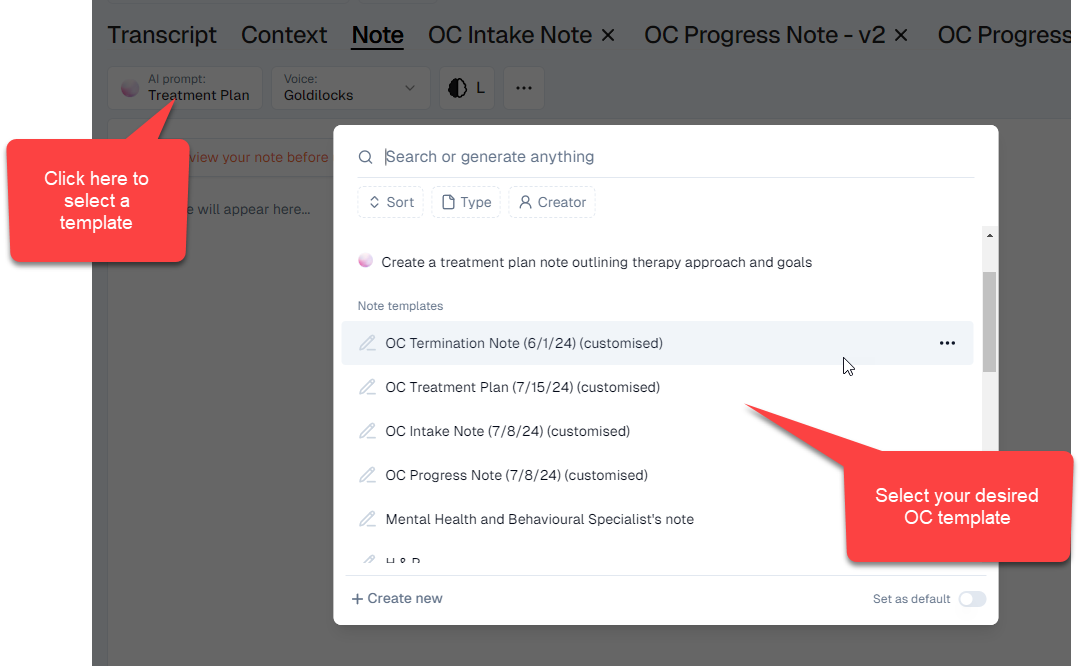
Select the OC Managed Template
Click on the Template Name to produce a note using that Template.
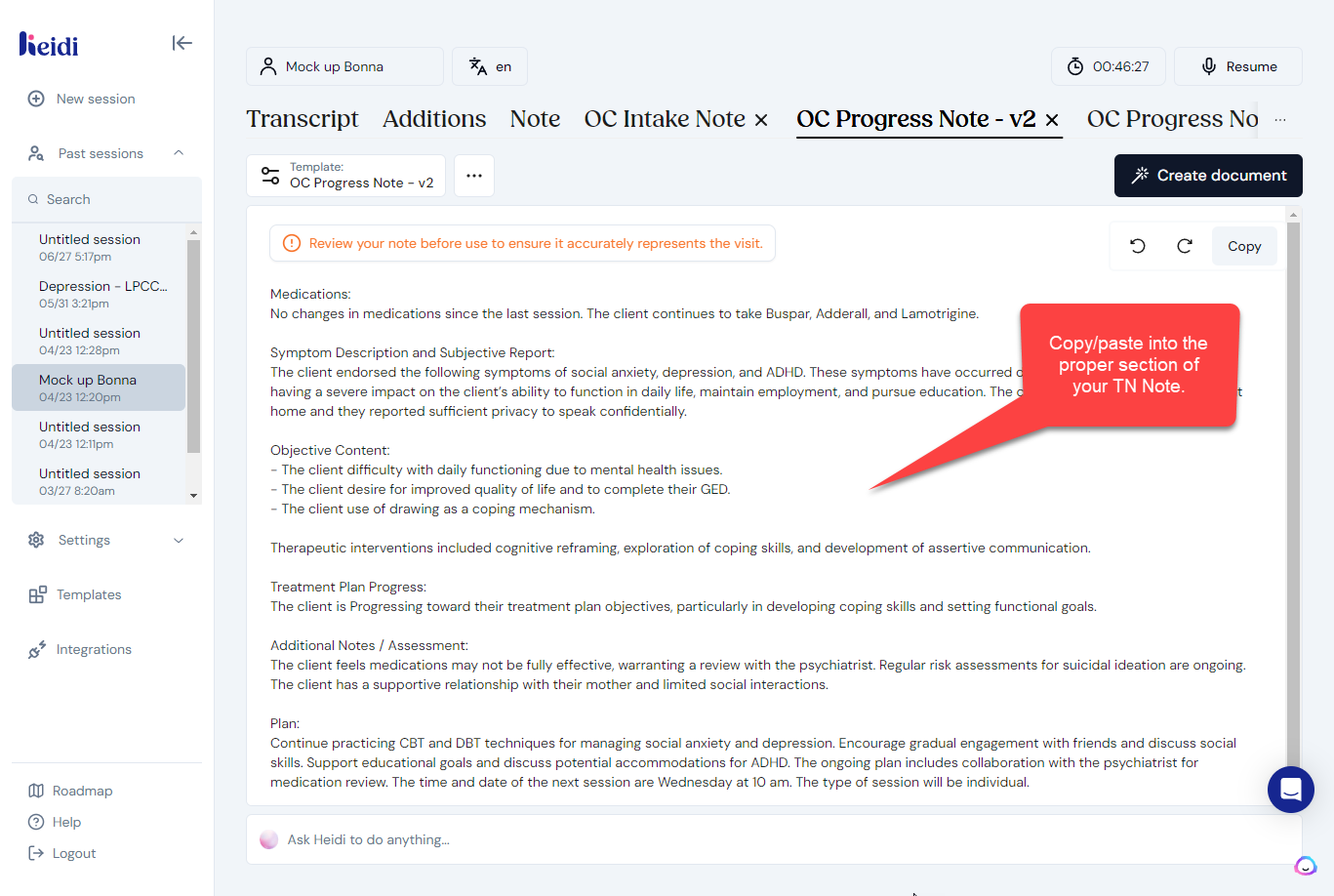
Copy/paste the text into TN
AI scribing isn’t perfect; be sure to review and modify your notes to match our expectations: Note Expectations.
Changing your Default Settings
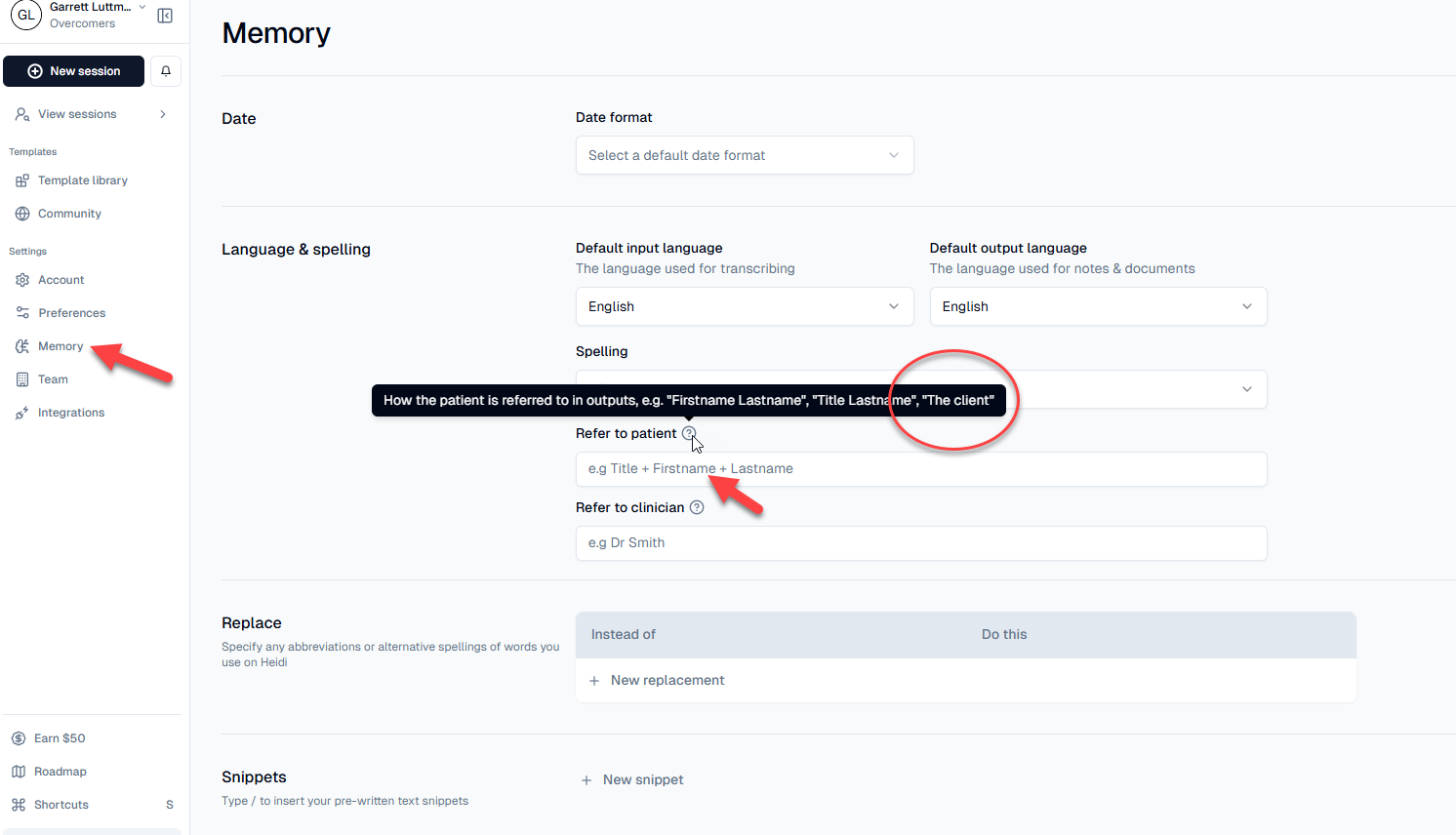
Review and update your desired default settings.

Fine Tuning
Set the "refer to patient" as "the Client." That way, Heidi won't input the client's name.
Check out more fine-tuning and adjustments that you can make to your note here: The "Ask Heidi" Prompt.
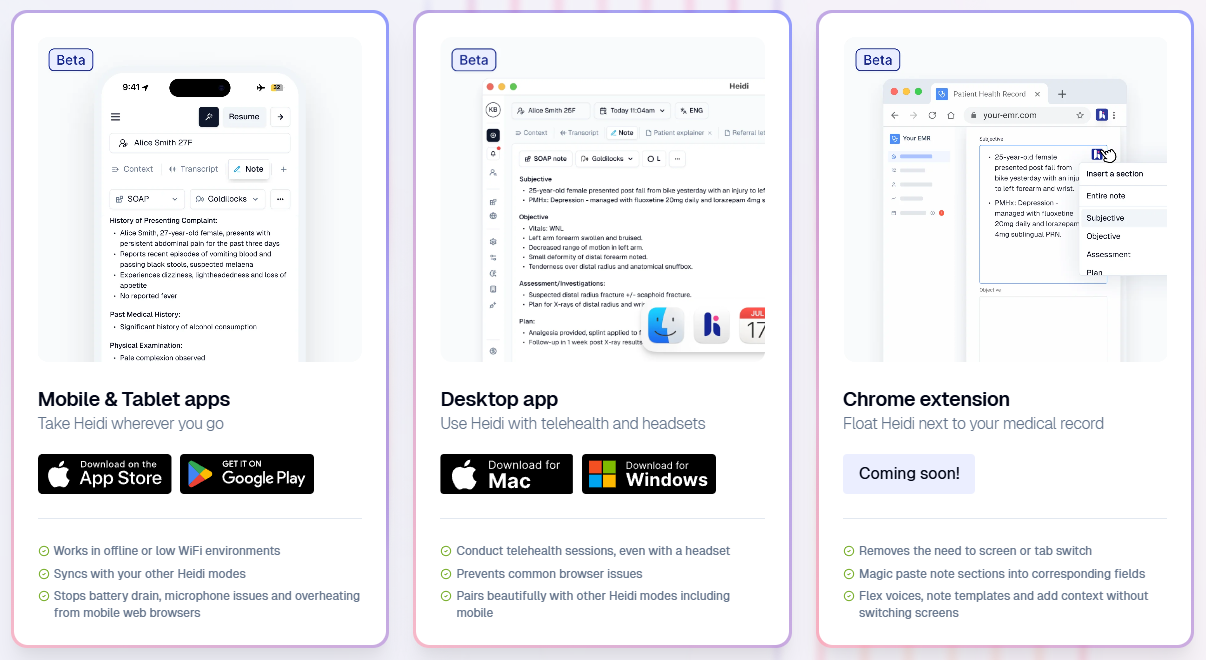
Download the Mobile App (still in BETA) for offline use
Download • Heidi | Free AI Medical Scribe