How to Update Your W4 Tax Withholdings
Pay
Employees (W2) may update their tax withholding within Paylocity at any time. Follow the steps below.
- Log in to Paylocity.
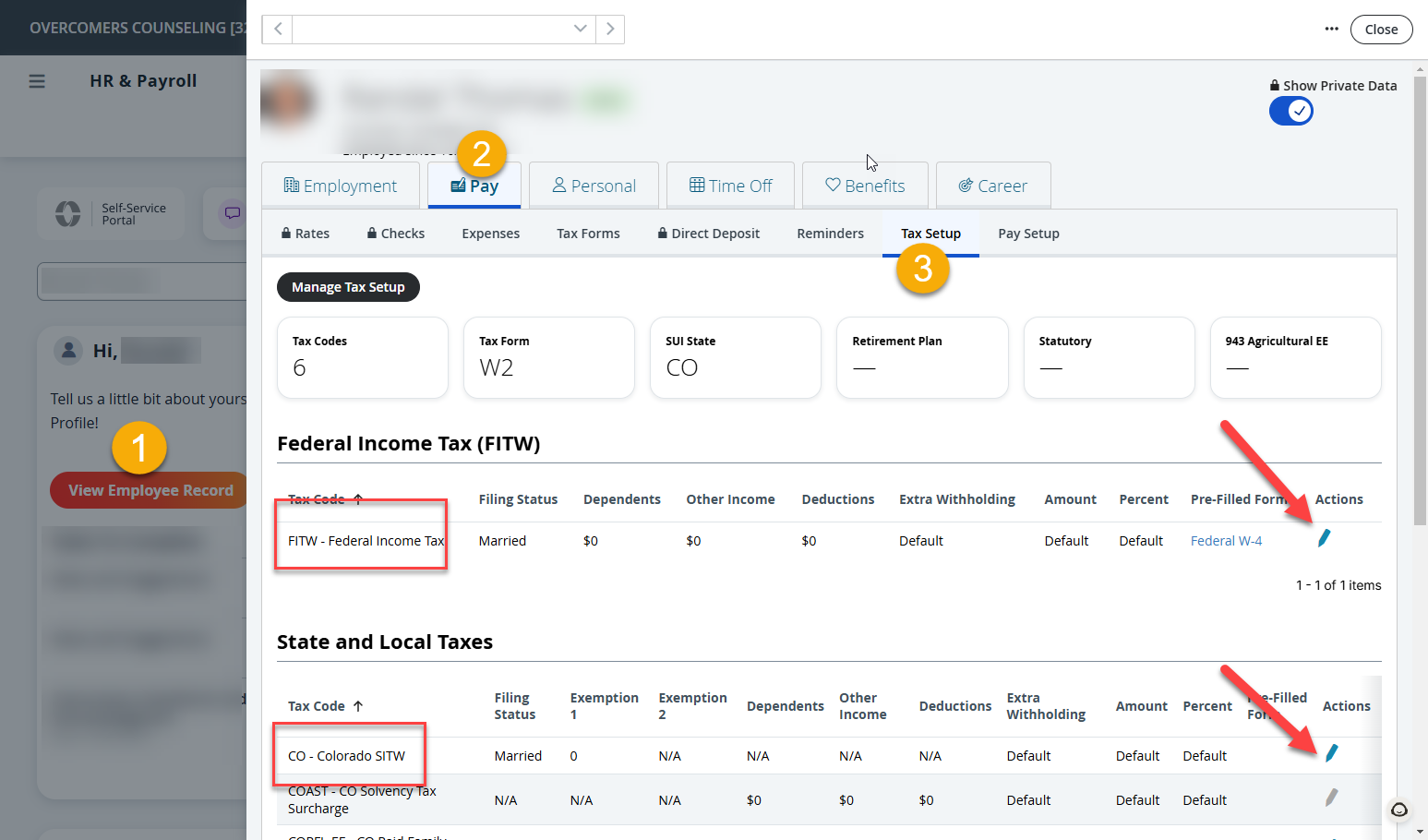
- From the Self-Service Portal, click on Employee Record.
- Click on the Pay >> Tax Setup
- Click the Edit (Pencil icon) to edit the Federal and State withholdings.
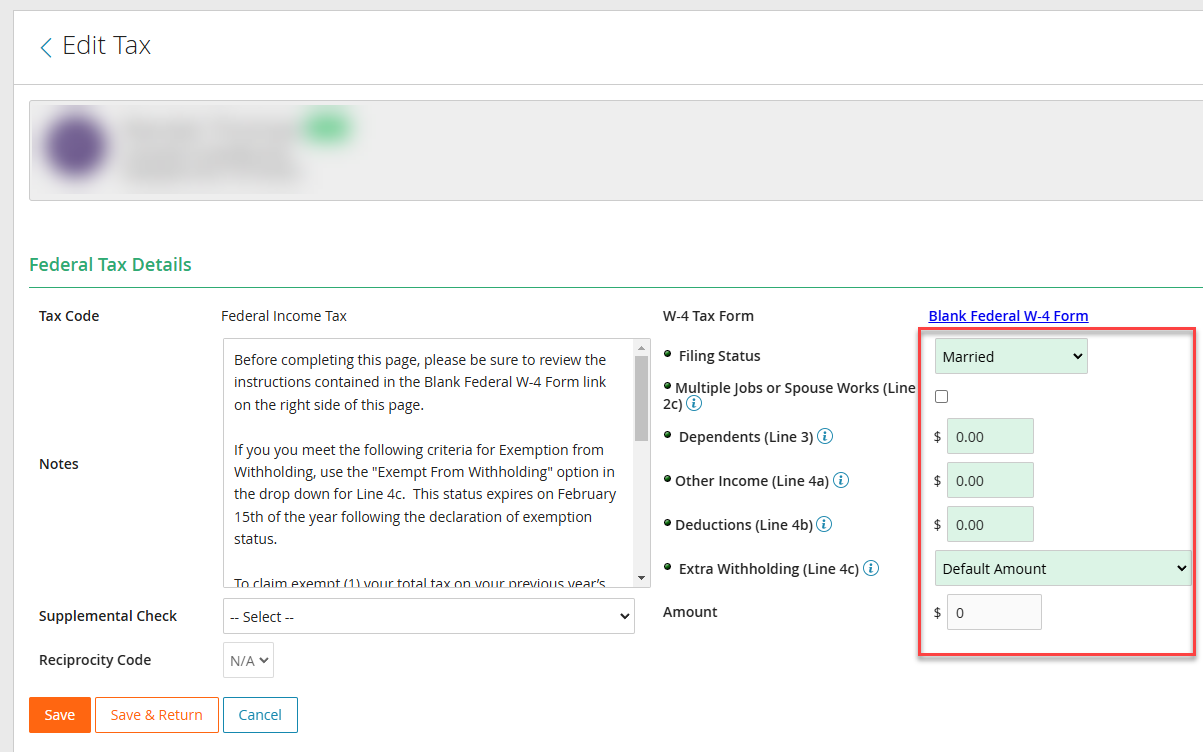
- Update the tax withholdings as desired.
- Save and return
Once you submit a change, HR will be notified to approve it before it becomes effective.