How to update your Directory Profile
Sprucing up your profile just got a whole lot easier (and faster)!
- Visit our new EHR >> Staff >> Your Name >> Profile.
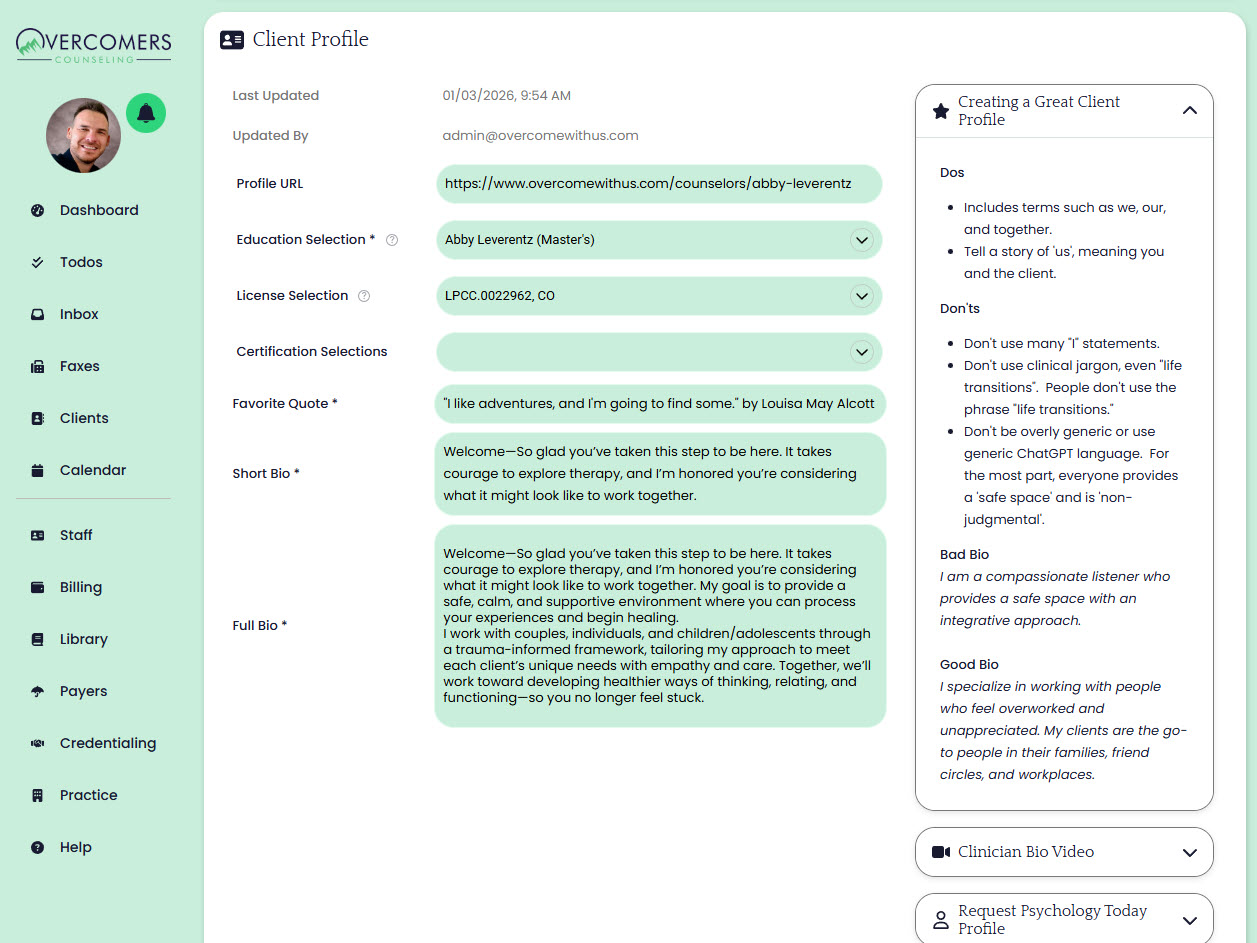
- Scroll down to where you see your Client Profile section. In this section you'll update your bio.
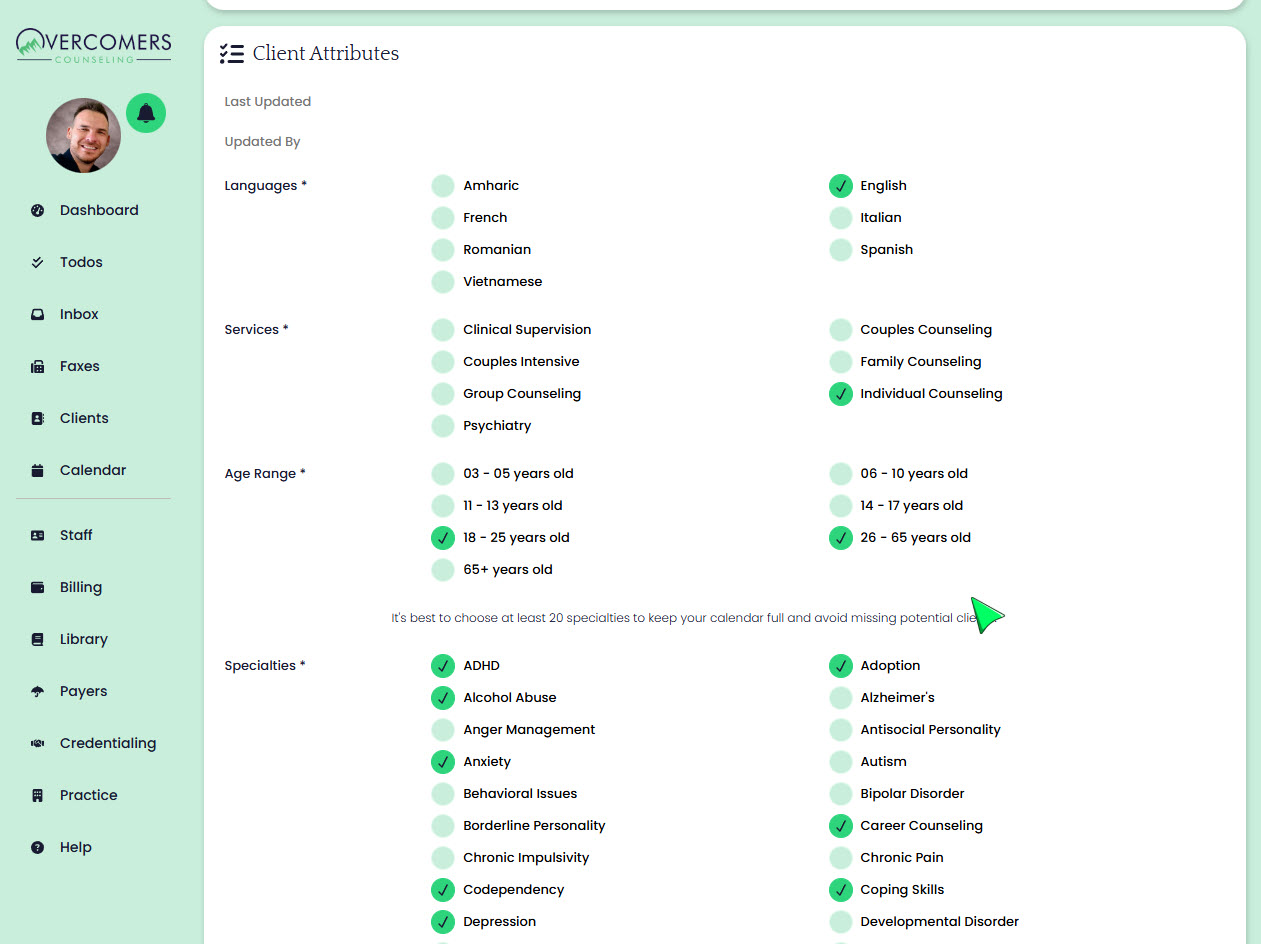
- Scroll down a little further to see your Client Attributes section. Update your client attributes as desired.