How to Update Your Direct Deposit Info
Pay
Through Paylocity, staff members may update their direct deposit bank information anytime. Follow the steps below to edit your bank information.
- Log in to Paylocity.
- From the Self-Service Portal, click on Direct Deposit Accounts under the Pay module.
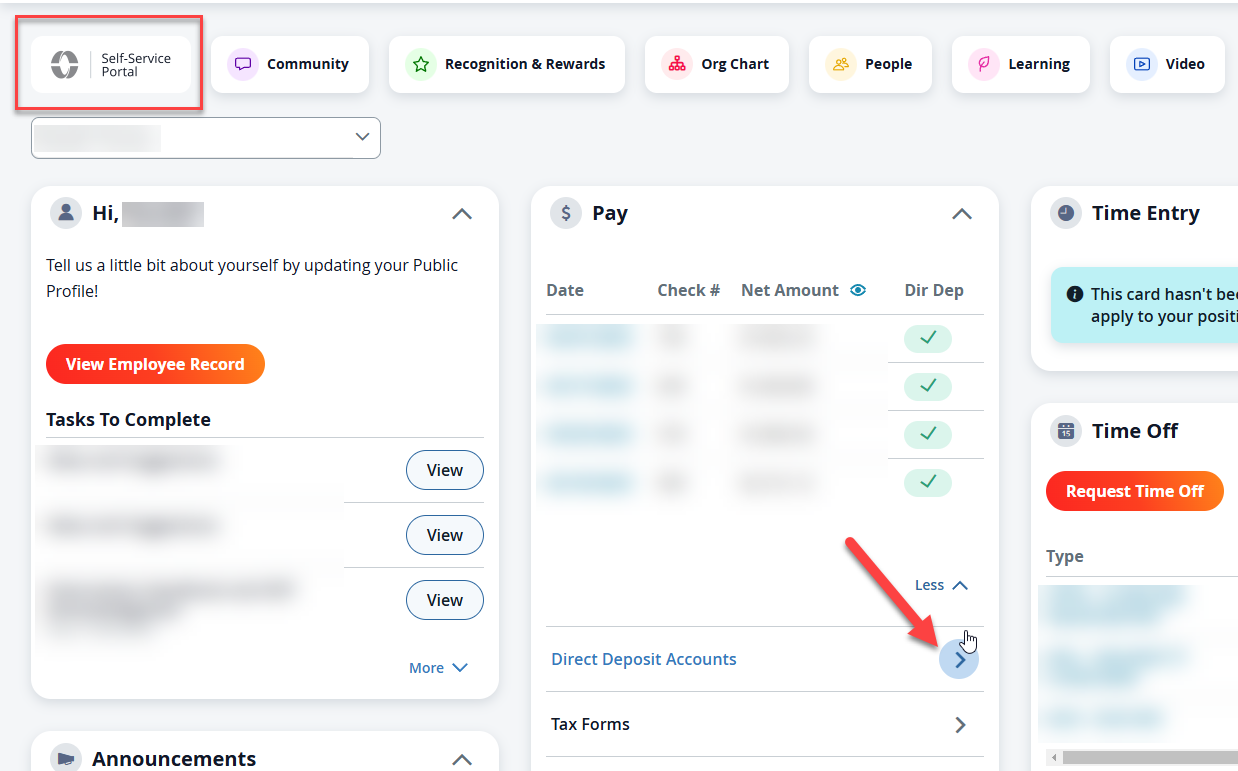
- You may be asked to authenticate your identity. Usually, this is done by a text sent to your phone.
- The popup window will show your current checking account for deposit, and you may add a bank account or modify the existing one.
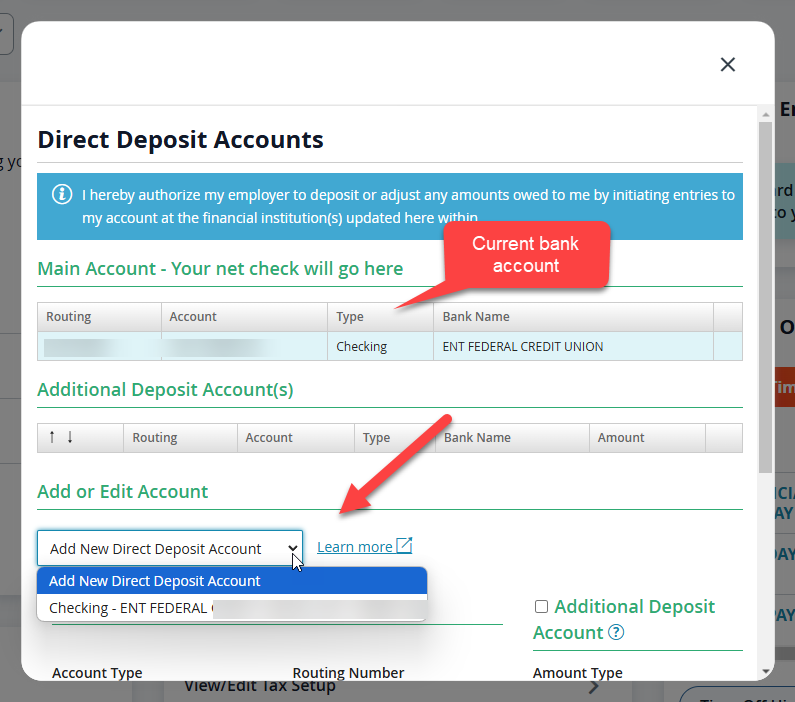
- If you wish to add an additional bank account, e.g., a savings account where 10% of your paycheck will be deposited, be sure to select the 'Additional Deposit Account' and choose the amount of each check to be deposited. Leave this box 'unchecked' if you are adding a Primary bank account.
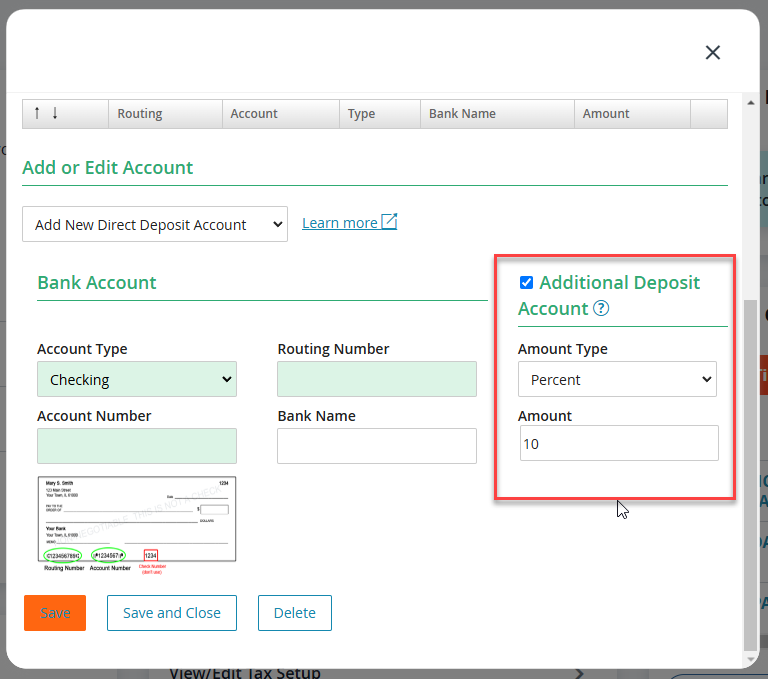
- Save and Close
Once you submit a change, HR will be notified to approve it before it becomes effective.