How to Create and Manage Psychology Today (PT) Profiles
Overcomers provide clinicians the opportunity for Overcomers to manage/create a PT profile for them. The Support Team's responsiblity is to create the profile in PT.
When the PT profile already exists
Follow these steps if the clinician already has a profile.
- Log in to the clinician's Psychology Today profile via the credentials they provided.
- Change the password to: Overcomers123!
- Change the contact phone numbers to our office number (whichever is closest to the clinician).
- Change the contact email addresses to scheduling@overcomewithus.com.
- Change/add the location(s) to match OC's location for this clinician.
- Update the specialties to match the clinican's specialties in our Directory.
- Update insurance and payment info.
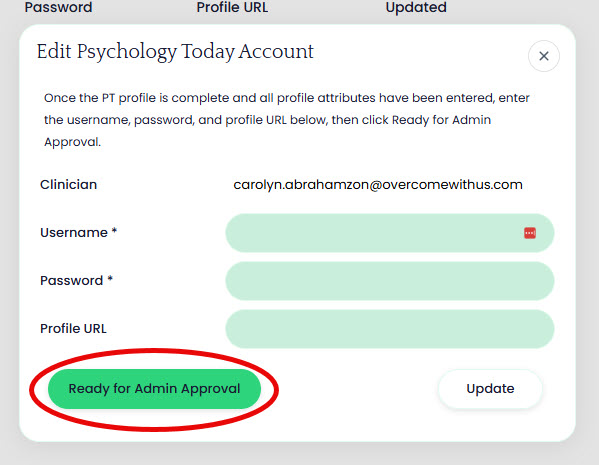
- When the profile is complete in PT, update the PT request in our EHR with the login details, profile link and click 'Ready for Admin Approval'.
When the PT profile does NOT exist
Follow the steps below to create a new profile for a clinician who is not already on PT.
- Log in to PT (https://member.psychologytoday.com/us/login) using any existing account.
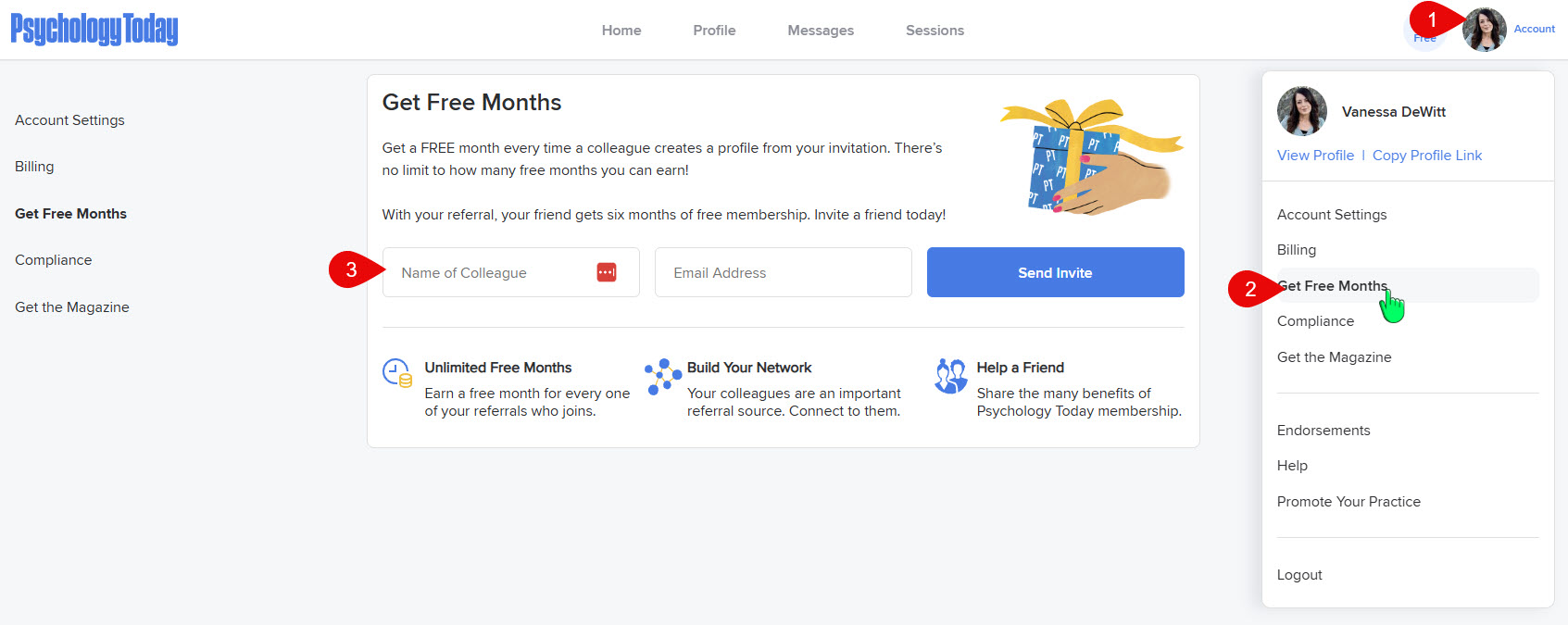
- Go to Account >> Get Free Months and enter the name and email address of the NEW clinician for whom you wish to create a profile.
- When the clinician creates the request, they are asked to forward to the Support any emails from PT, which includes the activation email.
- Once you get that forwarded email, accept the invitation and create a username (firstnamelastname) and password (Overcomers123!).
- Change the contact phone numbers to our office number (whichever is closest to the clinician).
- Change the contact email addresses to scheduling@overcomewithus.com.
- Change/add the location(s) to match OC's location for this clinician.
- Update the specialties to match the clinican's specialties in our Directory.
- Update insurance and payment info.
- When the profile is complete in PT, update the PT request in our EHR with the login details, profile link and click 'Ready for Admin Approval'.