Get Started Credentialing
Credentialing is the process of becoming an INN with an insurance payer. Follow the steps below to get started in the credentialing process.
Steps to Credentialing
- Create NPI (if the clinician doesn't already have one).
- Create CAQH profile (if the clinician doesn't already have one).
- Monitor progress in Overcomers EHR.
Step 1 - Create an NPI
The clinician's NPI is a national provider number that stays with the clinician forever. All healthcare providers are searched via the NPI. It usually takes 2-3 days to get your NPI after registering for one. Click here to create/register for an NPI.
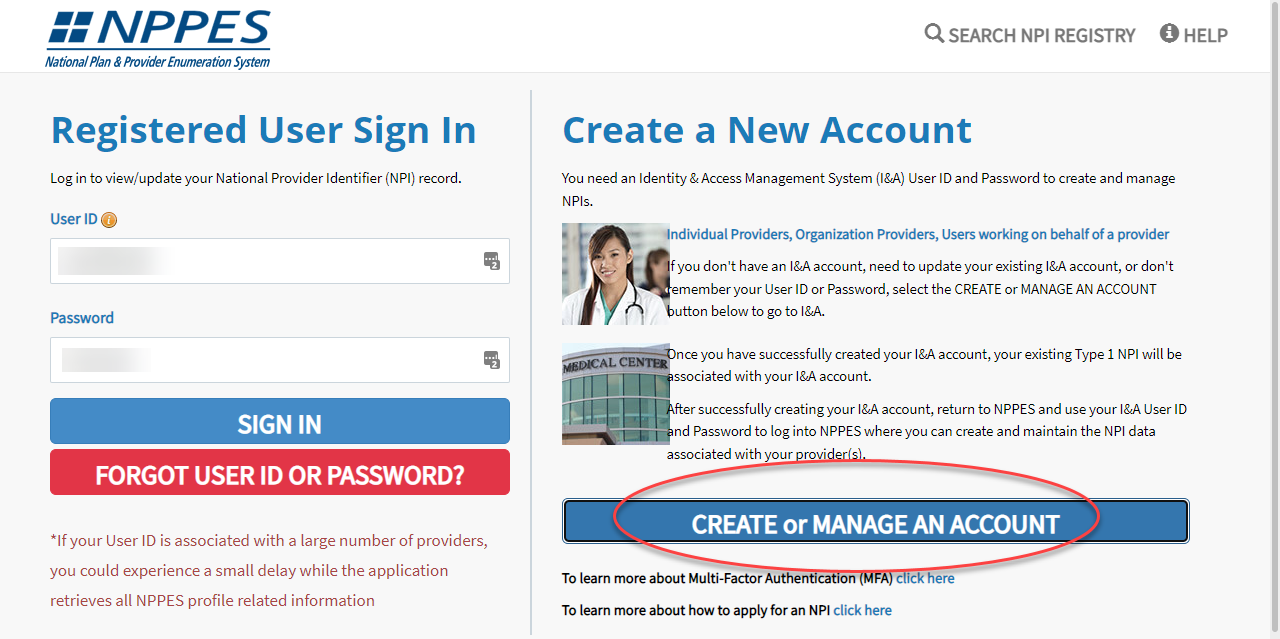
FAQ about filling out the NPI
- When applying for an NPI, it may take 1-2 days to receive approval.
- A notification will be sent via email when they approve the NPI.
- Skip the Endpoint page
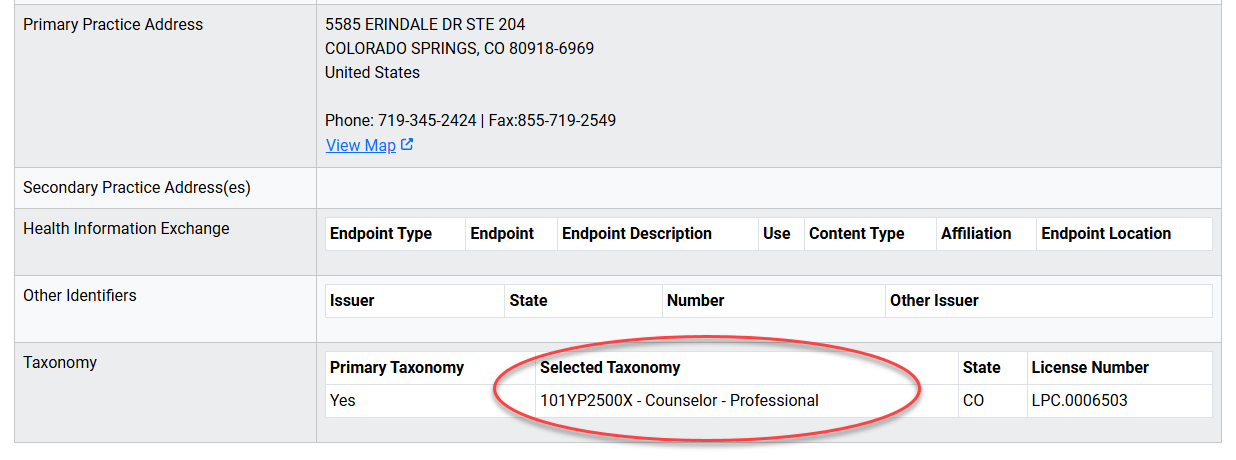
IMPORTANT: Clinician's Taxonomy
A crucial aspect of an NPPES profile and the credentialing process is the clinician taxonomy.
- LPCs, taxonomy must be 101YP2500X on NPPES profile
- LCSWs, taxonomy must be 1041C0700X on NPPES profile
- LMFTs, taxonomy must be 106H00000X on NPPES profile
- PMHNPs, taxonomy must be 363LP0808X on NPPES profile
Step 2 - Create a CAQH Profile
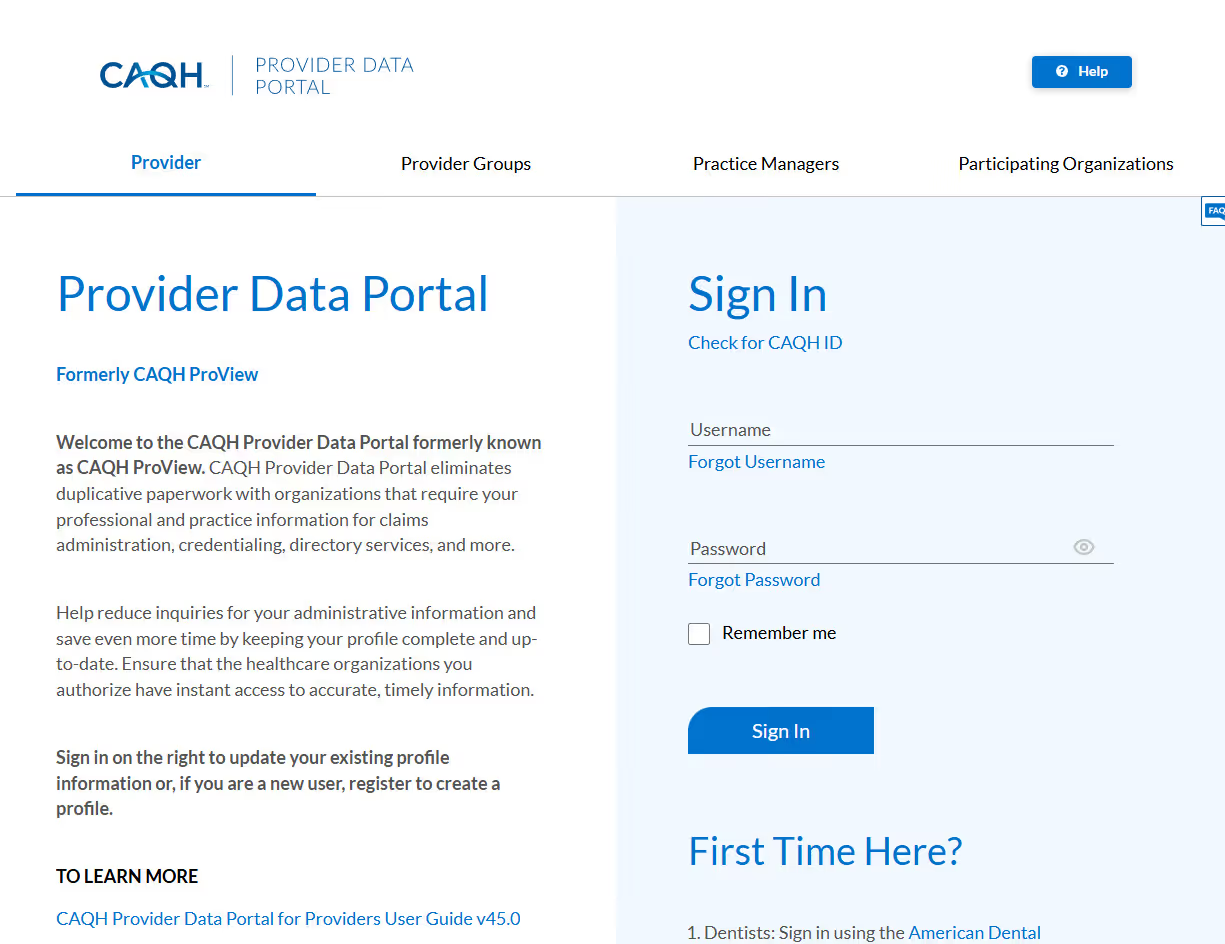
CAQH ProView is the healthcare industry’s premier resource for self-reporting professional and practice information to health plans and other healthcare organizations. It is an extensive provider profile from which insurance payers can pull information. To create a profile, click here. The entire CAQH profile is extensive. Please fill out as much information as possible. If you don't know information about our 'practice' you can leave it blank.
Add CAQH Login in Overcomers' EHR
The clinician's CAQH must be access by Overcomers Credentialer, therefore the clinician must input the login username and password in Overcomers EHR. Go to Staff >> Your Name >> Account >> External Accounts tab and scroll to bottom to add your CAQH account details. External account details are only visible to Admin and Support Team.
Monitor Enrollment Progress in Overcomers EHR
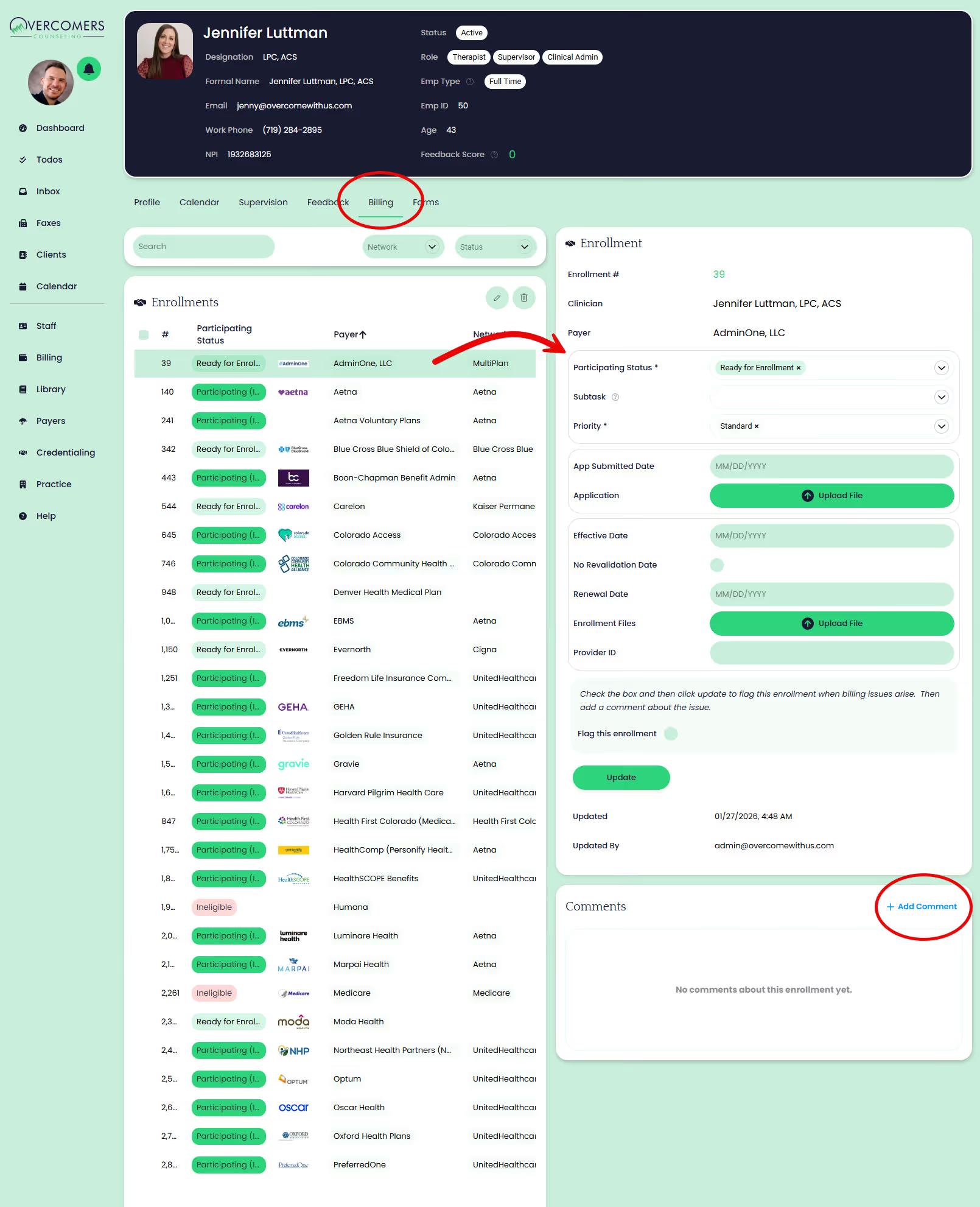
Clinicians can monitor their enrollments by going to Staff >> Your Name >> Billing tab. They will see a list of all the payer enrollments accepted at Overcomers (not exhaustive) and the status of each enrollment. Clinicians cannot edit any of the enrollments, but they can make comments on each enrollment and upload files on the comment. When comments are added, Overcomers Credentialing Specialist will be notified to handle/review the comment.
FAQs about Credentialing
When does credentialing begin?
- Credentialing will commence only after you have been employed at Overcomers for over 90 days. You must also be fully licensed to be paneled with most payers.
Does the network status (INN) "stay" with the clinician if they leave Overcomers?
- No. Every group or private practice will have to re-credential the clinician.
Does it cost the clinician anything to get credentialed?
- No. Overcomers provide this service for our W2 or 1099 clinicians.
Am I required to be credentialed if I am fully licensed and have been with Overcomers for over 90 days?
- Yes. Most insurance carriers do not allow a licensed clinician to continue billing under another clinician's National Provider Identifier (NPI).
How long does it take to get paneled/INN?
- It usually takes 120+ days for a clinician to be credentialed on most insurance panels after the CAQH profile is completed.