Credentialing Enrollment Comments & Activity
Credentialing
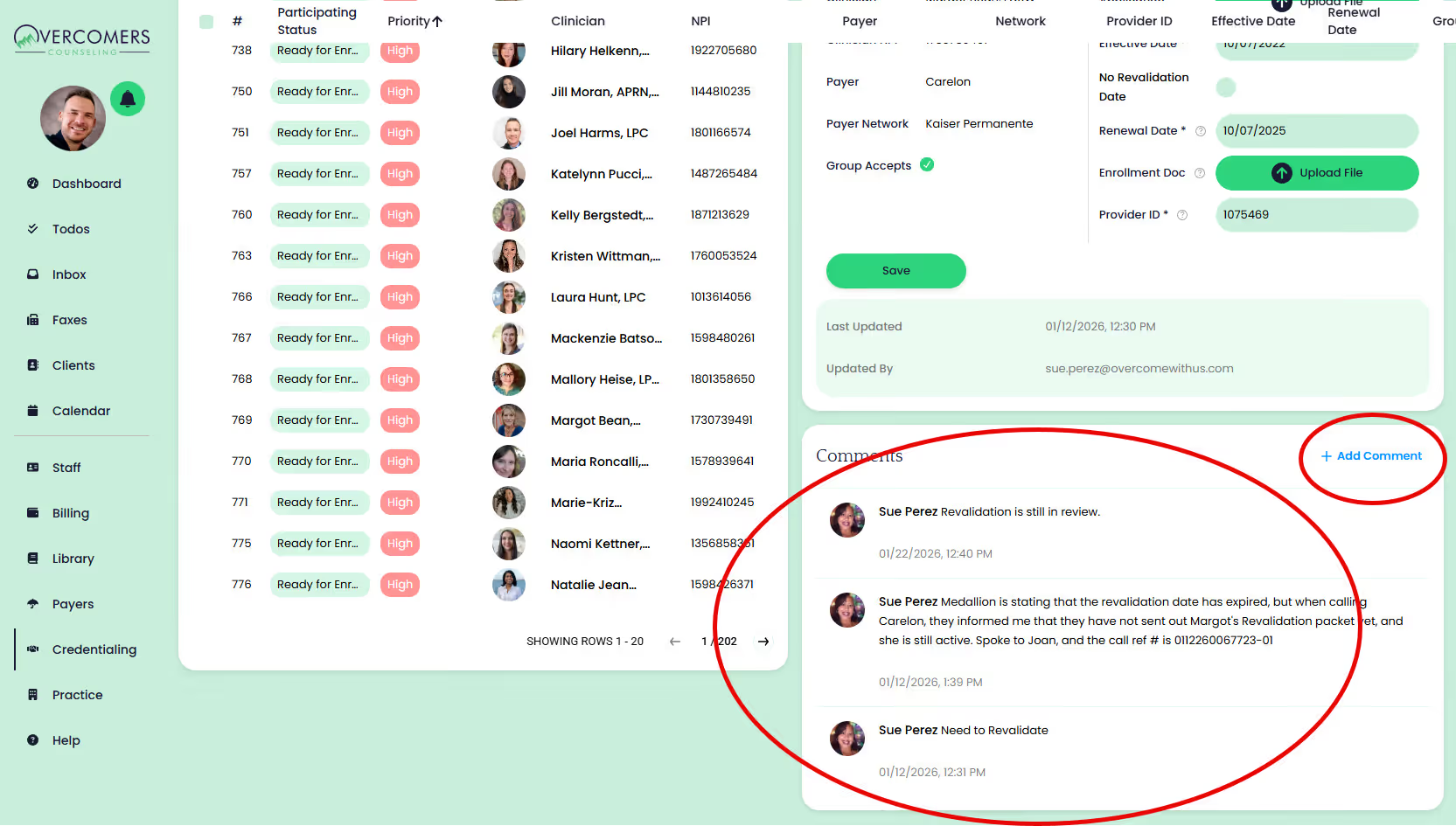
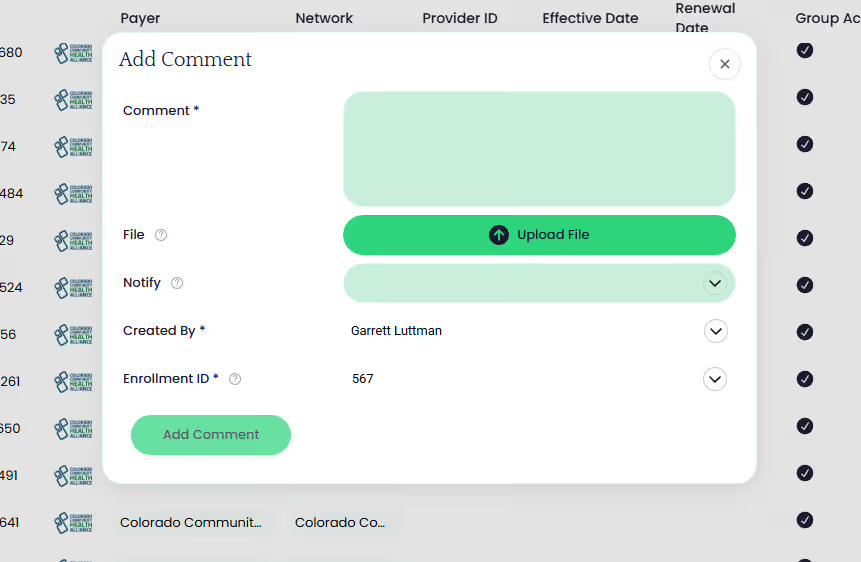
Clinicians and Support Team can add comments to any enrollment and notifiy select users about that comment.
How to add a comment on an enrollment
- Go to the enrollment:
- Clinicians: Staff >> Your Name >> Billing tab.
- Support Team: Credentialing >> Enrollments.
- Click on the desired enrollment.
- Scroll down to the comments section of that enrollment to view comments and add comments.
- When adding comments, choose whom you'd like to notifiy, if anyone. When clinicians add comments, they must select Overcomers Credentialer.