Change note to Bill as Supervisor
Occasionally, your billing supervisor will change. This will put a fresh pair of eyes on your notes to ensure we meet and maintain compliance with insurance. Most of the time, your note will default to the correct billing supervisor; however, depending on who your supervisor is, your note will require you to change the billing supervisor to the correct one.
To edit supervision billing settings per note:
- When creating or editing a note, click anywhere on the note header or click Edit in the upper right corner of the note header to open it
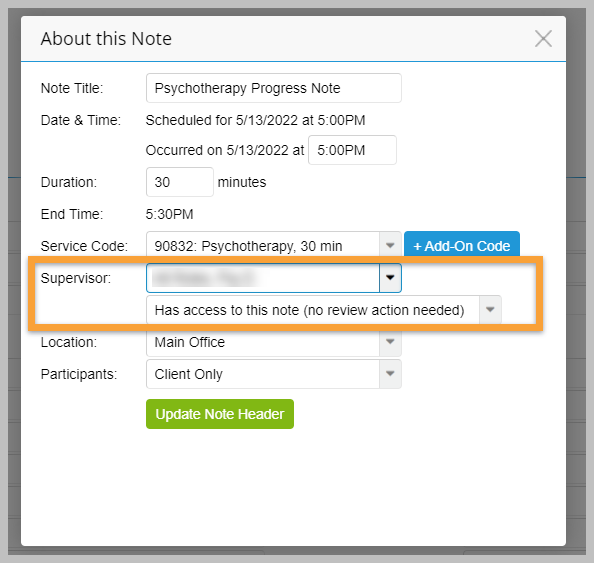
- From the Supervisor dropdown, select the Supervisor associated with the note
- From the dropdown below, select the level of supervision required for the session
- Click the Update Note Header button
The changes will take effect after the supervisee signs the note. The new supervisor will see a prompt to approve or co-sign the note in their To-Do list.