Automated Appointment Reminders
By default, all appointments scheduled in TN will receive an email and SMS reminder.
- Automated email reminders are sent out about 24 hours in advance.
- Automated SMS reminders are sent out about 12 hours in advance. The SMS reminders only contain the day/time of their session and the provider's name; they don't mention the location.
How to check the sent reminders
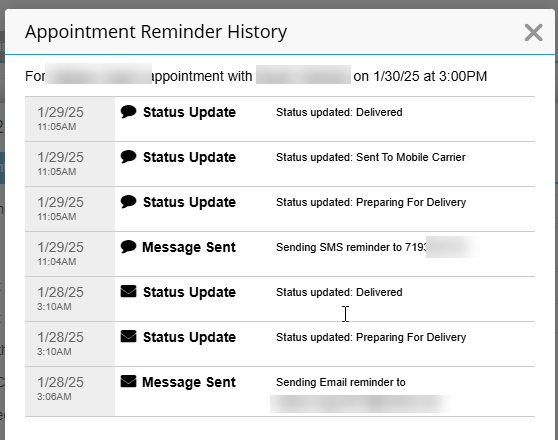
To check the status and deliverability of the reminders sent to a client, click the appointment, then click on 'Reminders Sent'.
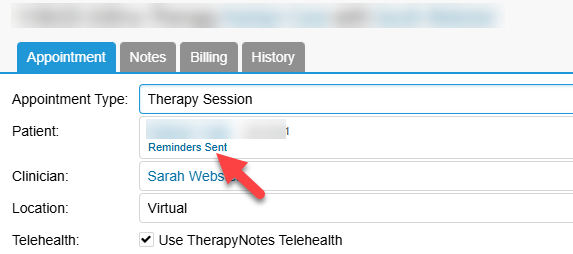
Check if the reminders that have been “read.”
Customize appointment reminders for a client
- Click Patients > Patient Name > Patient Info tab
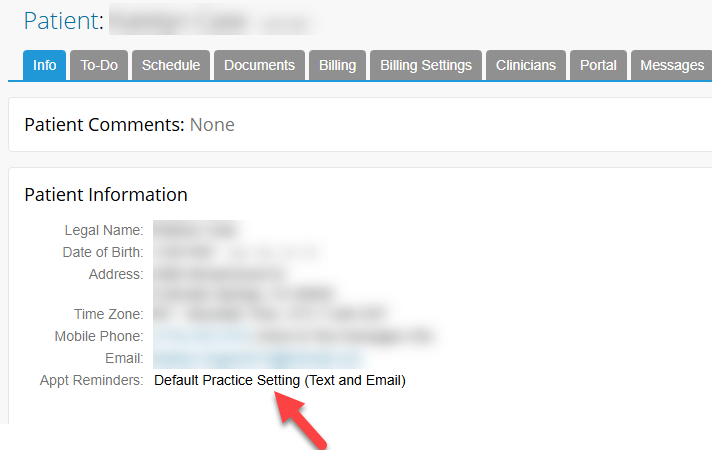
- Edit the patient information and select a different appointment reminder options.
Notify other parties of an appointment with a client
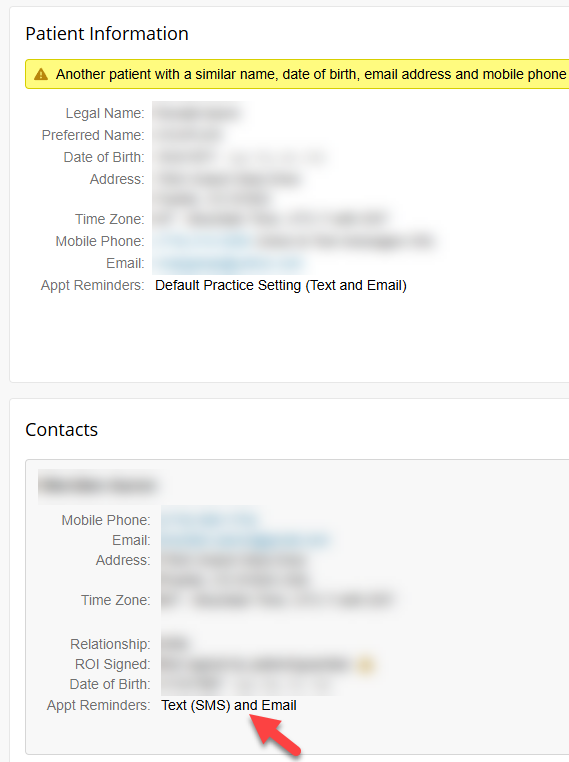
Clinicians must turn appointment reminders on to notify another party (e.g., parent, spouse, etc.) of the IP's appointment.
Opt out/in text reminders
Clients can opt out of text appointment reminders by replying "STOP" to the message. Clients can opt back in to text appointment reminders by texting "START" to (215) 515-9997.