Add Services for your Client
If your client is seeking additional services, follow the steps below. For example, the client is currently engaging in therapy services and now wants medication management.
Find a clinician in the directory and book the client
- Visit the Directory and search for one of the available clinicians who match your client’s needs. Offer the time slots to your client, and if one works for them, click Book.
- Input the client's desired services.
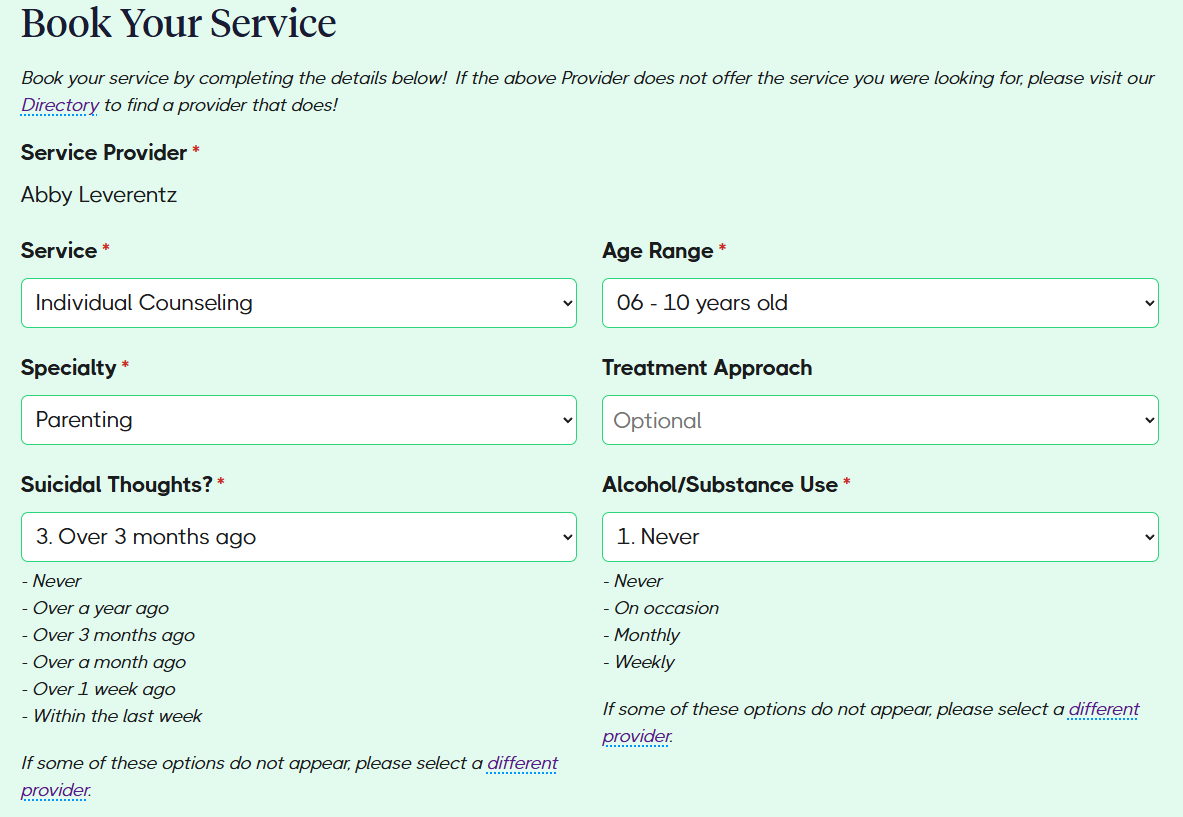
- Add the client demographics, which are all found in the TN patient file.
- Select these fields and then click Submit.
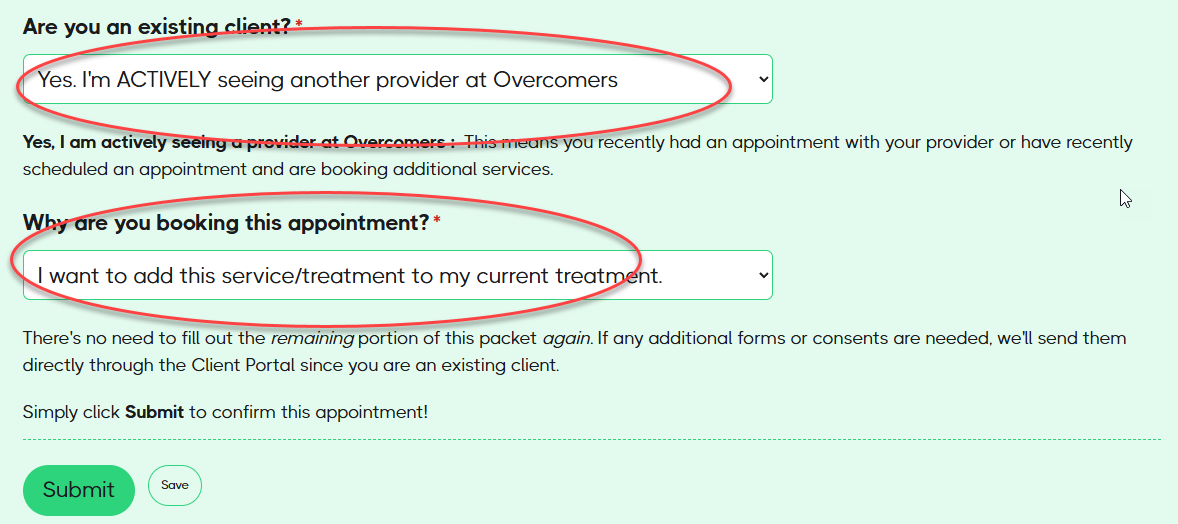
- Upon submission, the Support Team will be notified to add the clinician and appointment to the client’s file.