1099 PMHNP Pay
NPs are Paid when Payment is Received
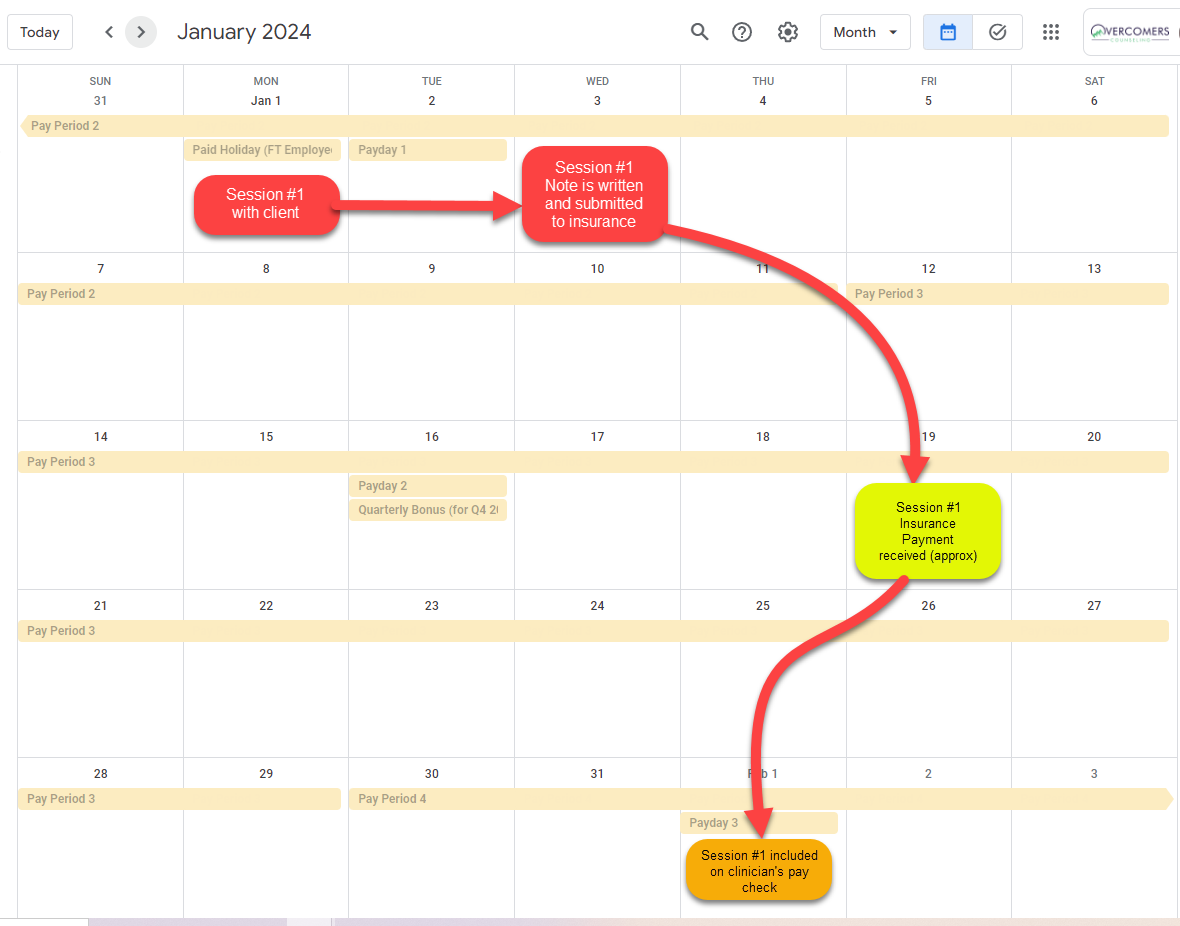
The amount on your paycheck is based on when the insurance/client payment is received, not at the DOS. Insurance typically takes 2-4 weeks to pay after a signed and completed note (intake/progress) is entered into TN.
Discrepancies with your TN Revenue vs. your Deposit
There will often be minor discrepancies between your revenue report in TN and your paycheck. This is normal, and there are a wide range of reasons why.
Here are a few reasons:
- The most accurate calculation compares the YTD (Year to Date) of payments and YTD TN revenue. YTD in TN is from start of the pay period that begins in at the first year. The start date is usually in December of the previous year.
- The wrong amount was charged to the client and once remittance is received by insurance (2-4 weeks later) that payment amount is changed (e.g. deductible is met)
- By the time remittance is received (2-4 weeks later), a denial showing the client’s insurance was changed has been received. This change might result in a different reimbursement rate from the new insurance.
- Occasionally, insurance will “clawback” and withdraw funds from previous claims because it was paid in error (up to ~6 months old), usually due to the dx code being non-billable but yet paid. This would result in $0 for the session until a new claim is sent to the ‘other’ payer.
With this said, if there is a significant difference, please let Garrett know.
Typical Session to Paycheck Timeline
Use YTD To Make Your Calculations in TN
The most accurate calculation is to compare the paycheck's YTD with the TN revenue's YTD. In TN, the YTD is from the beginning of the first pay period of the year to the last day of the current pay period (e.g., 12/29/23 - 3/12/24).
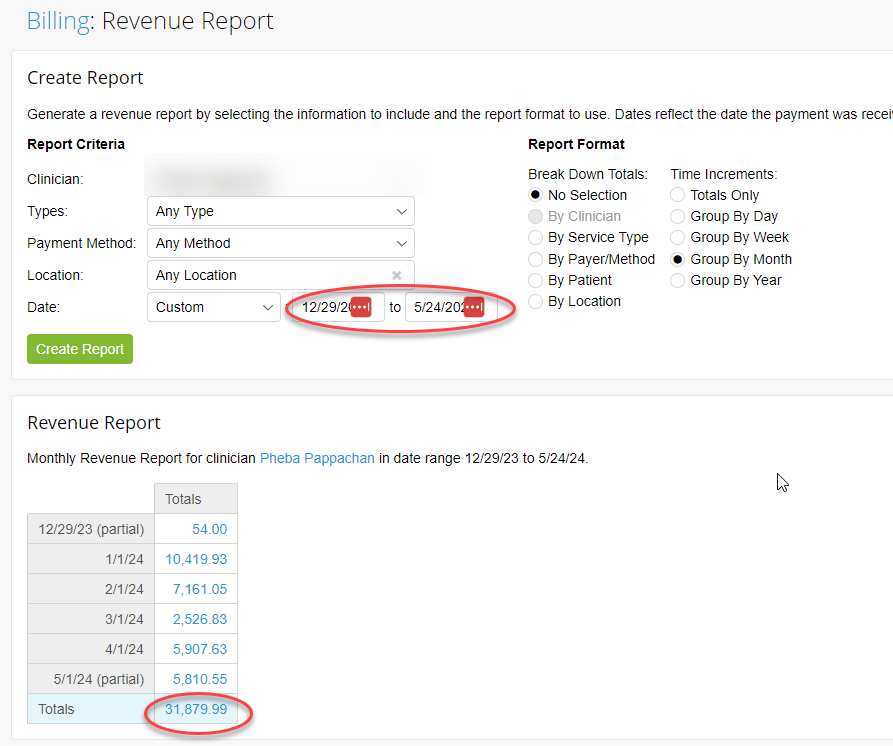
In the example above, the total $$ that has come in (pre-split) is $31,879.99. The next step would be to multiply by your percentage split (e.g., 70%): $31,879.99 x 70% = $22,315.99
Payment History for Contractors
To view your payment history, log into Paylocity. Learn how to update your direct deposit here: https://learning.paylocity.com/LMS/Link/431174.
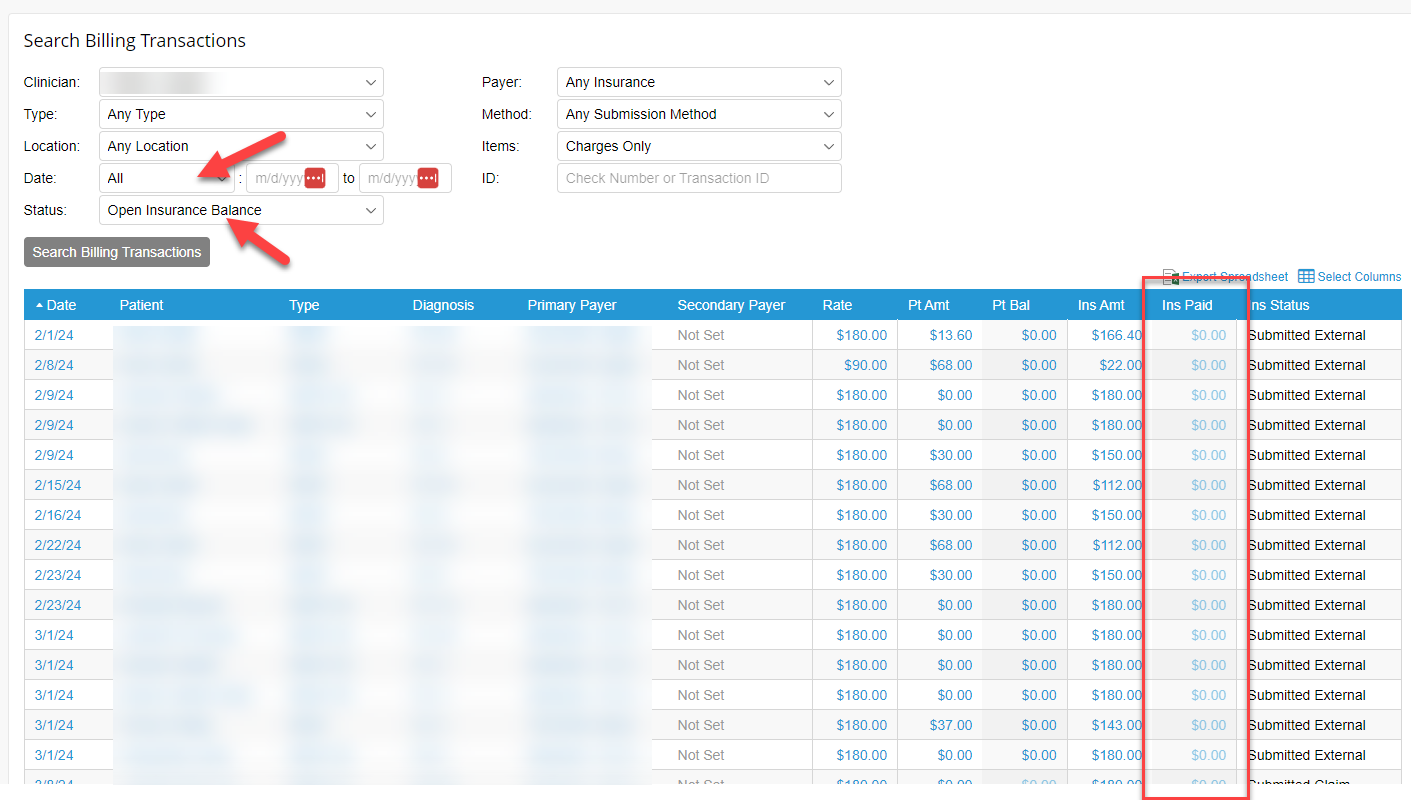
How to view your sessions with an ‘open’ insurance balance
Visit the Billing tab in TN and run this report (see screenshot). This report will show you what sessions have not received an insurance payment. Typically, if a claim remains unresolved for four weeks, it indicates an underlying issue. The reason it’s 4+ weeks old is either:
- The clinician didn’t write the note within a few days, which delayed the claim submission and insurance payment.
- The insurance company has denied the claim and requires a fix and resubmission.
- A secondary payer is involved, which requires more time for claim processing than a single payer.
You can always contact Billing for additional details, but please keep in mind that they are already aware and are working to resolve the issue as soon as possible.
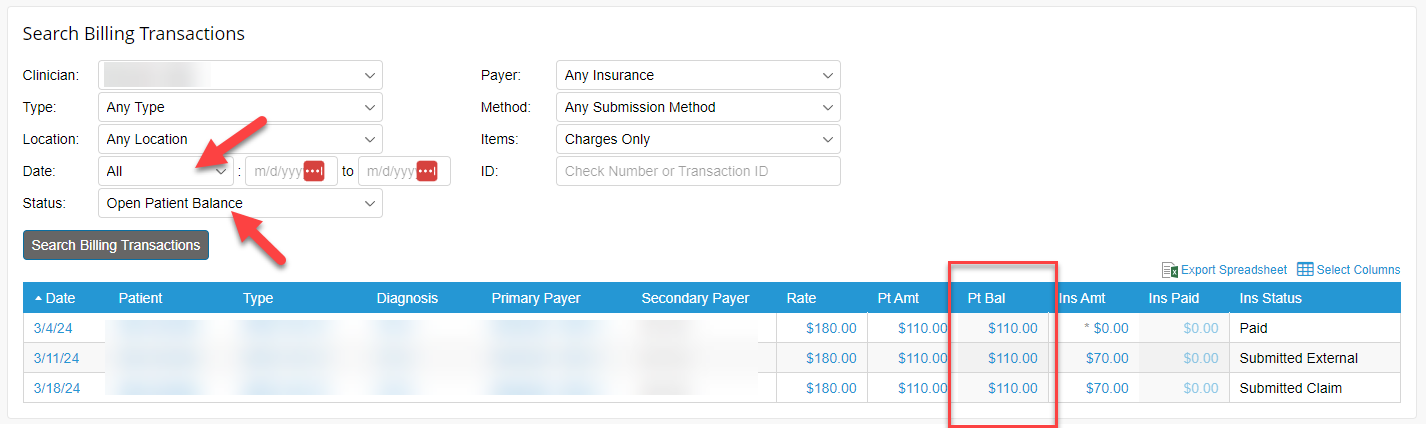
How to view your sessions with an ‘open’ patient/client balance
Collecting the copay during the session is essential. Failure to do so may lead to reduced compensation for the clinician.
Direct Deposit
Direct deposit saves you time and provides added security. With this option, each payment is automatically deposited to your checking or savings account (or divided between the two) as you choose.
Payday and Pay Periods
Contractors are paid twice a month per the pay period calendar: Payday and Pay Period Calendar.
Deductions
As a 1099 contractor, there are no deductions withheld.
Pay Stubs
1099 contractors do not have 'pay stubs' like W2 employees. However, to see a history of payments/checks, please log into Paylocity >> Self Service Portal >> under the Pay module; you'll see a list of payments/checks.
1099 MISC for Taxes
(2025+ Tax year)
1099s will be mailed in January; however, you can download them from Paylocity.
(2024 and earlier Tax year)
You can view your 1099-MISC in Intuit Workforce.