How to Mark Yourself Unavailable
Calendar
Schedule an UNAVAILABLE event in TN to block off time for vacations, lunch, personal appointments, or other blackout periods. Existing clients accessing the Client Portal cannot schedule appointments with a clinician if the day/time is blocked off.
Reminder! Clinicians have a flexible schedule (Understanding a Flexible Schedule), so they can build their work schedule (How to change your Work Schedule in TN) as they see fit and, therefore, block off unavailable times as they desire.
How to schedule a vacation or blackout period:
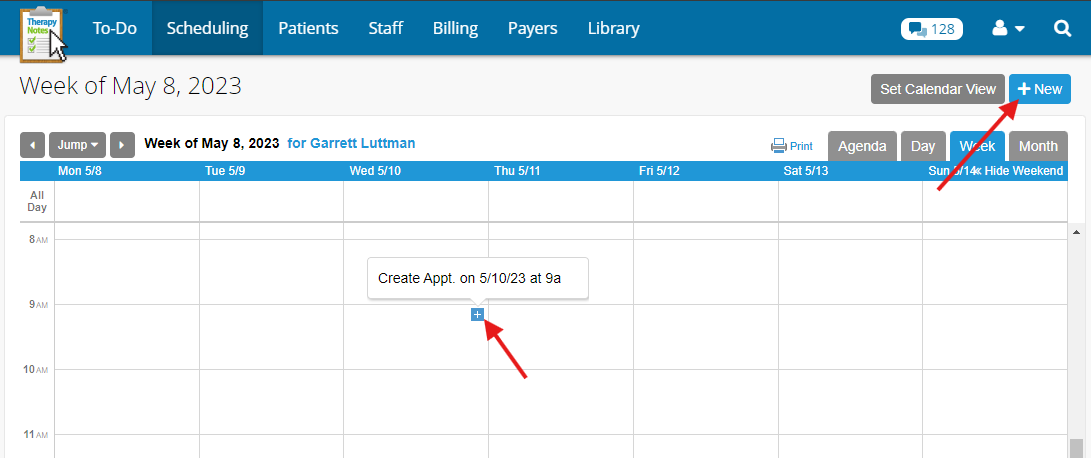
- Click the Scheduling tab
- Click the + New Appointment button OR Hover over a date on the calendar and click the plus sign (+)
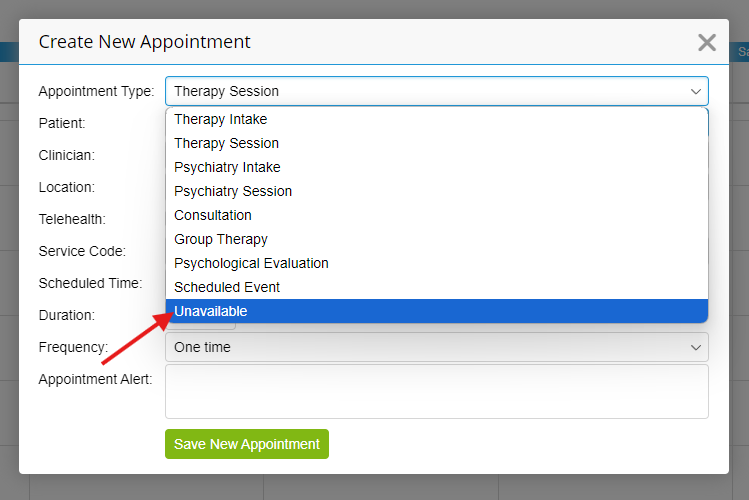
- The Create New Appointment dialog will appear. From the Appointment Type dropdown, select Unavailable.
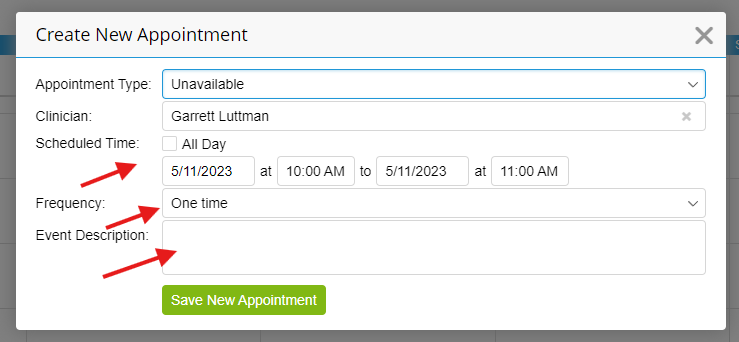
- Enter the unavailable details (you can block out ALL DAY events if you are unavailable for multiple days).
If you blocked off a day/time BUT ALSO requested a new client for that day/time, be sure to use the Remove Times form located here: EHR -> Your Profile -> Timeslots -> Remove Times.